Our PickFeatured

Peachi AIFreemium
Touch responsive video companions and illustrated 5 scene stories, with free guest chat, suggested replies and photo based character creation.
AI girlfriendAI companionAI character chat
Peachi AI wins for free, interactive character play that combines touch-responsive video, conversation and visual stories.
Peachi AI vs SpicyChat AI: Which Is Better for You?
Peachi AI is our overall pick for free, interactive character play: touch-triggered video reactions, chat and separate five-scene visual novels give you several ways to engage with a character. SpicyChat is stronger for long written roleplay, with paid memory controls, personas and model choices. Peachi's guest access makes it easy to try, although conversation history stays in the same browser. Choose Peachi for visual interaction and a quick start; choose SpicyChat when controlling a continuing text narrative matters more.
Peachi AI wins for combining touch-responsive characters, chat and illustrated stories with currently free guest access. SpicyChat remains the stronger choice for users who prioritize long written roleplay and paid controls for memory, personas and models.
Start Free On Peachi AITouch responsive video companions and illustrated 5 scene stories, with free guest chat, suggested replies and photo based character creation.
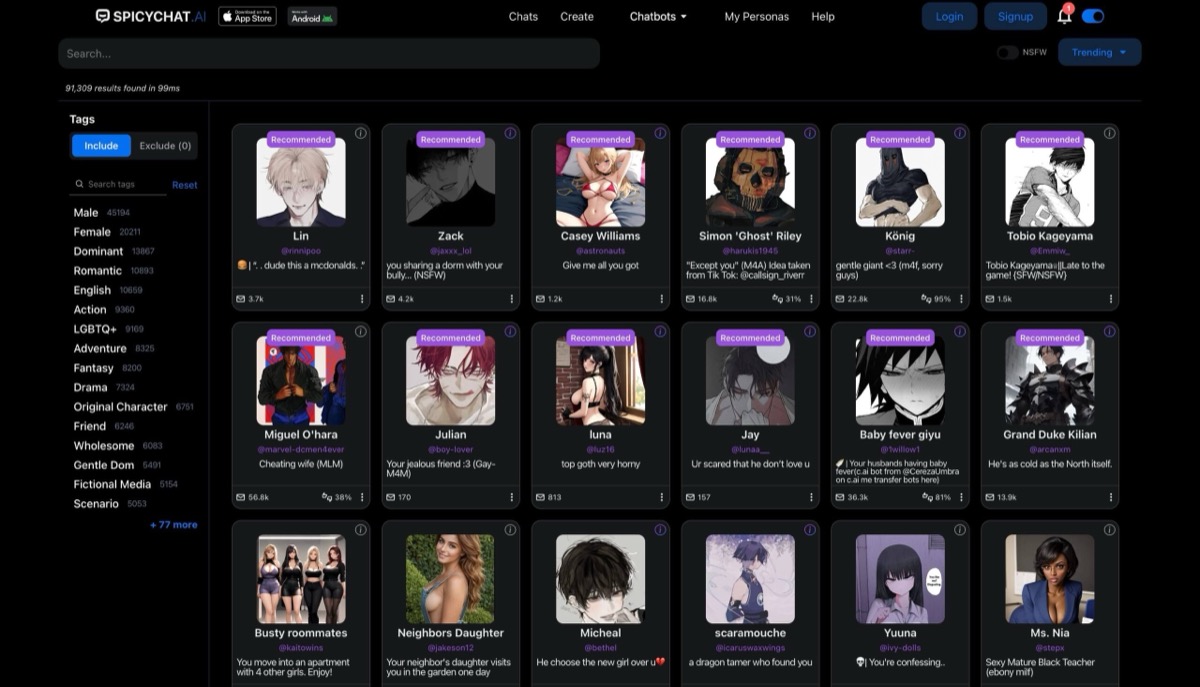
Free NSFW AI chatbot with Semantic Memory 2.0, uncensored roleplay, community character library, and cross platform access, premium from $5/month.
Peachi AI is our overall choice for visual character play. It combines touch-triggered video reactions, suggested or typed replies and separate five-scene illustrated stories, with currently free guest access to published characters. It is less suitable when synchronized conversation history or detailed memory controls are essential.
SpicyChat AI is the stronger specialist for extended written roleplay. User personas, model choices and paid memory tools let you manage the conversation in more detail, with images and text-to-speech depending on the subscription tier. Choose it for that writing control rather than a Peachi-style touch-responsive character scene.
| Feature | Peachi AI | SpicyChat AI |
|---|---|---|
| Character interaction | Looping video with touch-triggered reaction clips | Conversation-led character interaction; no matching tap-triggered scene format |
| Chat and roleplay | 3 suggested replies or custom text; replies in your language | Text-first roleplay with user personas, model choices and tier-dependent memory controls. |
| Visual experience | A separate illustrated 5-scene story with changing expressions | Conversation images on paid tiers and text-to-speech on I’m All In; not the same as touch-reactive video. |
| Customization and creation | Photo or Character Card V2 creation after Google sign-in | Character definitions and user personas; paid plans add configuration and generation controls. |
| Pricing and access | Currently free guest play and published characters; Google sign-in for creation. Future pricing is not guaranteed. | Free access plus Get A Taste, True Supporter and I’m All In subscriptions |
| Continuity | Browser-local history; Contacts can retain unlocked characters | Memory Manager from Get A Taste and Semantic Memory 2.0 from True Supporter. |
| Voice | No documented live voice-call feature | Paid conversation images and top-tier text-to-speech |
Peachi AI combines conversation with characters that move on screen. Its newer video characters respond to taps on supported areas; the older visual novels use full-body artwork, changing expressions and a story that moves through 5 scenes. These are two distinct experiences, rather than a single chat interface with a video attachment.
SpicyChat puts the written scene first, with user personas and paid memory tools. It suits a longer conversation whose details you want to manage; Peachi instead gives gestures and short visual reactions a central role.
The chat control switches from touch interaction into conversation with the same character. Peachi offers 3 suggested replies or a field for your own response. Suggestions give you a way to move a scene forward; custom text lets you change the tone or ask something more specific.
Text-first roleplay with user personas, model choices and tier-dependent memory controls.
Touch means tapping the displayed character. Peachi does not need to see your physical movements, and this feature is not a live video call or an unrestricted video generator. A character-motion sample shows the visual presentation; the tap controls are part of the Peachi experience itself.
Conversation images on paid tiers and text-to-speech on I’m All In; not the same as touch-reactive video.
Google sign-in opens the creation studio. You can start with a photo or import a Character Card V2 in PNG or JSON format. The imported card can carry the name, personality, scenario, opening lines and lorebook into the character, while a reference photo supplies a visual starting point.
Character definitions and user personas; paid plans add configuration and generation controls.
Signing in can preserve unlocked characters in Contacts across devices, but it does not synchronize conversation history. This is convenient for a quick guest session and a meaningful limitation if you want the same long-running conversation on a phone and a laptop.
Paid tiers make the differences explicit: Get A Taste lists 4K context, True Supporter lists 8K and I’m All In lists up to 32K, depending on the selected model. Persona slots, conversation images and generation settings also depend on the tier.
| Use Case | Winner | Why |
|---|---|---|
| Visual touch reactions | Peachi AI | Looping video with touch-triggered reaction clips |
| Extended written roleplay | SpicyChat AI | Memory Manager, user personas and paid model controls provide explicit ways to manage the written conversation. |
| A quick guest scene | Peachi AI | Guest access and a short character scene are the priority. |
| Text roleplay with memory and model controls | SpicyChat AI | SpicyChat puts the written scene first, with user personas and paid memory tools. It suits a longer conversation whose details you want to manage; Peachi instead gives gestures and short visual reactions a central role. |
| Capability | Peachi AI | SpicyChat AI | Edge |
|---|---|---|---|
| Character interaction | Looping video with touch-triggered reaction clips | Conversation-led character interaction; no matching tap-triggered scene format | Peachi AI |
| Chat and roleplay | 3 suggested replies or custom text; replies in your language | Text-first roleplay with user personas, model choices and tier-dependent memory controls. | SpicyChat AI |
| Visual experience | A separate illustrated 5-scene story with changing expressions | Conversation images on paid tiers and text-to-speech on I’m All In; not the same as touch-reactive video. | Peachi AI |
| Customization and creation | Photo or Character Card V2 creation after Google sign-in | Character definitions and user personas; paid plans add configuration and generation controls. | SpicyChat AI |
| Pricing and access | Currently free guest play and published characters; Google sign-in for creation. Future pricing is not guaranteed. | Free access plus Get A Taste, True Supporter and I’m All In subscriptions | Peachi AI |
| Continuity | Browser-local history; Contacts can retain unlocked characters | Memory Manager from Get A Taste and Semantic Memory 2.0 from True Supporter. | SpicyChat AI |
| Voice | No documented live voice-call feature | Paid conversation images and top-tier text-to-speech | SpicyChat AI |
Browser-local conversation history does not sync across devices.
No documented live voice calls or lasting memory across separate stories.
Memory, models and media vary by tier; no touch-reactive scene format
Choose Peachi AI for the more varied visual character experience. Begin with a published character as a guest, try the supported touch reactions and use suggested replies or custom text to continue the conversation. Its separate five-scene visual novels offer a more structured story when you want progression rather than a continuous chat. Those options make Peachi our overall recommendation in this pair.
Choose SpicyChat instead if managing an extended written scene is the main requirement. Its personas, paid memory tools and model controls serve that purpose better. Peachi does not replace those controls or synchronize browser-local conversation history, and its current free access should not be treated as a permanent price guarantee.