
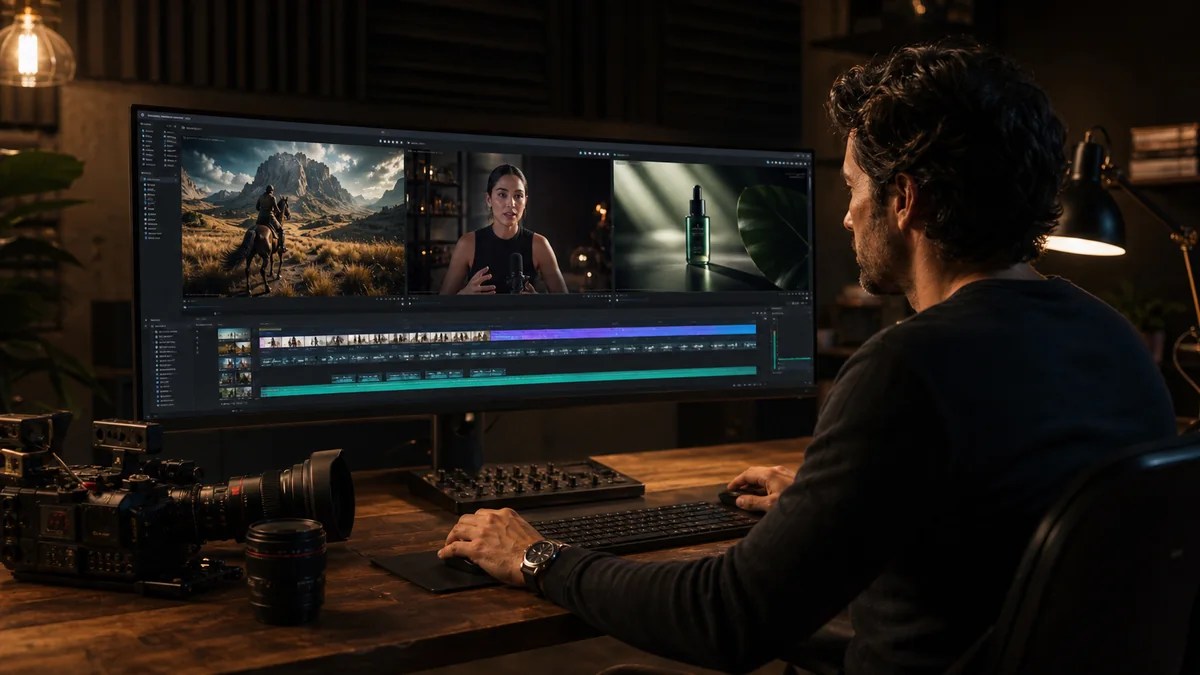
Runway is the best AI video generator for finishing a clip rather than just producing one, because generation, references, editing, performance capture and export all sit inside the one product.
I ran the same shot through all eight and counted how many attempts it took to get one I would actually use. Kling AI generates up to fifteen seconds with native audio across multiple shots, and Luma's draft mode lets you test a look cheaply before committing to a full render.
Quick verdict
Runway is the pick when the clip has to be delivered, not just generated. Choose HeyGen or Synthesia only if you need a presenter reading a script, because they are a different product. Free output is frequently watermarked, queued or licensed for non-commercial use only.
The top three at a glance
Top 3 AI Video Generators Compared
Runway is the best overall choice, Kling AI is strongest for multi-shot clips with native audio, and Luma is best for iterating from cheap drafts up to a finished cinematic render.
Runway
Best Overall
Generation, references, editing, performance capture, audio tools and exports sit inside one product, so a clip goes from first prompt to delivered file without leaving it.
From first prompt to delivered file without ever leaving the product.
Try RunwayKling AI
Best for Native Audio and Shot Control
Up to 15-second multi-shot generation, native audiovisual output, element consistency, and competitive credit pricing.
Up to 15-second multi-shot generation with native audiovisual output.
Explore Kling AILuma
Best for Cinematic Iteration
Ray3.14 combines draft testing, image/video modification, HDR and production-oriented export options.
Draft testing, HDR and production-ready export in one iteration loop.
Explore LumaKey Takeaways
- PixVerse's terms limit output to non-commercial use unless you hold an authorisation or licence, so its free route is the one you cannot publish a client video with.
- Kling AI's free output is non-commercial too, and its current pricing page lists no monthly credit grant, which makes the free account a demo rather than an allowance.
- Runway hands a new account 125 one-time credits rather than a monthly refill, and its leading video models can require a paid plan before they will run for you at all.
- Luma withholds commercial rights until the Plus plan and offers no audio on some Ray modes, so a finished clip may still need a separate pass to give it any sound.
- Every mainstream platform here restricts explicit sexual content, and a model's ability to render a convincing human being is not an indication that it is permitted to.
Rights are the thing to check, not realism
A polished result is not a licensed one. Free and entry tiers on several of these platforms grant non-commercial rights only, and the avatar products additionally require documented permission for any real person's face and voice. Confirm the rights attached to your plan, and to the stock and models it draws on, before publishing anything for a client.
Quick Comparison Table
Compare all 8Runway · Kling AI · Luma
- Tool
- Runway
- Category
- Generation + production
- Best For
- End-to-end creative control
- Core Inputs
- Text, image, video
- Audio
- Separate audio tools; model-dependent
- Free Path
- 125 one-time credits; leading video models may require paid access
- Commercial Use
- Check plan and input rights
- NSFW
- Explicit sexual content restricted
- Tool
- Kling AI
- Category
- Generative video
- Best For
- Native audio and multi-shot control
- Core Inputs
- Text, image, elements, video references
- Audio
- Native audio on current models
- Free Path
- Free account; current page lists no monthly credits
- Commercial Use
- Free output is non-commercial; paid plan required
- NSFW
- No clear adult-use allowance; treat as restricted
- Tool
- Luma
- Category
- Generative video + modification
- Best For
- Cinematic iteration and finishing
- Core Inputs
- Text, image, video
- Audio
- Not available on every Ray mode
- Free Path
- Ray3.14 Draft Mode
- Commercial Use
- Plus plan and above lists commercial use
- NSFW
- Not positioned for explicit generation
- Tool
- Pika
- Category
- Social generative video
- Best For
- Effects and short transformations
- Core Inputs
- Text, image, video
- Audio
- Effect/workflow dependent
- Free Path
- 80 free credits currently listed
- Commercial Use
- Use a plan that expressly grants commercial rights
- NSFW
- AUP restrictions apply
- Tool
- PixVerse
- Category
- Generative video + effects
- Best For
- Fast concepts and stylized clips
- Core Inputs
- Text, image, references
- Audio
- Optional on supported modes
- Free Path
- Free-to-start workflow
- Commercial Use
- Terms limit output to non-commercial use without authorization/license
- NSFW
- No verified explicit-use permission
- Tool
- HeyGen
- Category
- Avatar + translation
- Best For
- Presenter marketing and localization
- Core Inputs
- Script, image/avatar, voice, source video
- Audio
- Voices, cloning, dubbing, lip-sync
- Free Path
- Limited free videos
- Commercial Use
- Plan and likeness rights apply
- NSFW
- Moderated; explicit content restricted
- Tool
- Synthesia
- Category
- Business avatar video
- Best For
- Training, onboarding, compliance
- Core Inputs
- Script, avatar, slides, documents
- Audio
- Voices, dubbing, translation
- Free Path
- Free plan and free-video route
- Commercial Use
- Plan, stock, avatar, and brand rights apply
- NSFW
- All videos moderated; not an adult platform
- Tool
- InVideo AI
- Category
- Script-to-video assembly
- Best For
- Longer publishable marketing videos
- Core Inputs
- Prompt, script, URLs, stock and generated media
- Audio
- Voice, music, effects, captions
- Free Path
- Account can downgrade to Free; paid AI plans start at $17 annually billed
- Commercial Use
- Plan plus stock/model/input licenses apply
- NSFW
- Pornographic content prohibited
| Tool | Category | Best For | Core Inputs | Audio | Free Path | Commercial Use | NSFW |
|---|---|---|---|---|---|---|---|
| Runway | Generation + production | End-to-end creative control | Text, image, video | Separate audio tools; model-dependent | 125 one-time credits; leading video models may require paid access | Check plan and input rights | Explicit sexual content restricted |
| Kling AI | Generative video | Native audio and multi-shot control | Text, image, elements, video references | Native audio on current models | Free account; current page lists no monthly credits | Free output is non-commercial; paid plan required | No clear adult-use allowance; treat as restricted |
| Luma | Generative video + modification | Cinematic iteration and finishing | Text, image, video | Not available on every Ray mode | Ray3.14 Draft Mode | Plus plan and above lists commercial use | Not positioned for explicit generation |
| Pika | Social generative video | Effects and short transformations | Text, image, video | Effect/workflow dependent | 80 free credits currently listed | Use a plan that expressly grants commercial rights | AUP restrictions apply |
| PixVerse | Generative video + effects | Fast concepts and stylized clips | Text, image, references | Optional on supported modes | Free-to-start workflow | Terms limit output to non-commercial use without authorization/license | No verified explicit-use permission |
| HeyGen | Avatar + translation | Presenter marketing and localization | Script, image/avatar, voice, source video | Voices, cloning, dubbing, lip-sync | Limited free videos | Plan and likeness rights apply | Moderated; explicit content restricted |
| Synthesia | Business avatar video | Training, onboarding, compliance | Script, avatar, slides, documents | Voices, dubbing, translation | Free plan and free-video route | Plan, stock, avatar, and brand rights apply | All videos moderated; not an adult platform |
| InVideo AI | Script-to-video assembly | Longer publishable marketing videos | Prompt, script, URLs, stock and generated media | Voice, music, effects, captions | Account can downgrade to Free; paid AI plans start at $17 annually billed | Plan plus stock/model/input licenses apply | Pornographic content prohibited |
Best AI Video Generators Ranked
1. Runway — Best Overall AI Video Production Platform
Why it ranks first: Runway is the most complete choice when generation is only one stage of the job. It combines current text-to-video and image-to-video models with video editing, performance capture, reference workflows, extensions, audio tools, collaboration, exports, and developer access.
Gen-4.5 covers text-to-video and image-to-video at 720p across landscape, square, portrait and ultrawide, with clips up to 10 seconds. Aleph handles video-to-video edits, and the wider model catalogue lets you trade resolution, audio and cost against each other.
What separates it from a one-prompt generator is everything that happens after the generation. References hold a subject steady between shots, performance capture drives a character, extensions lengthen a clip, and audio tools and an API sit in the same workspace. That is the difference between a product shot you got lucky with and one you can reproduce next week.
The current Runway pricing page lists 125 one-time credits on Free and 625 monthly credits on Standard. Gen-4.5 costs 12 credits per second, so a five-second result uses 60 credits. That makes iteration quality important: a handful of rejected shots can consume a smaller plan quickly.
Runway Gen-4.5 — complex motion in a moving shot
Subject and camera move together while the environment holds its detail and perspective. This is the kind of shot that survives being cut into a longer edit.
Source: Runway Gen-4.5 research. Short excerpt used for product review; no audio is included.
Limitations: Gen-4.5’s 720p native output and short clip length still require editing, upscaling, continuity work, and sound for many professional deliverables. Runway’s breadth also means the interface and credit table take longer to learn than Pika’s effect-led workflow.
NSFW policy: Runway’s usage rules prohibit sexually explicit content and adult nudity. It is not a suitable choice for explicit adult video generation.
Pros
- The broadest generation-to-editing workflow in this ranking
- Strong text, image, reference, performance, and video-editing routes
- Clear per-model credit pricing and developer API
- Suitable for professional shot iteration rather than novelty effects alone
Cons
- Leading models can consume a small credit allowance quickly
- Short clips still need editorial assembly and sound
- Some advanced models and tools require a paid plan
- Mainstream moderation excludes explicit adult production
Bottom line
The most complete option when generation is only one stage of a larger edit. Expect to upscale, cut and add sound afterwards — native 720p output and short clips are not a finished deliverable.
2. Kling AI — Best for Native Audio and Multi-Shot Control
Why it ranks second: Kling AI has moved beyond short silent clips. Its current Video 3.0 family combines text/image generation, element references, longer output, multi-shot direction, subject consistency, and native audiovisual generation at a lower paid entry price than many production platforms.
Video 3.0 takes text or image input, start and end frames, and element references, and returns up to 15 seconds at 720p or 1080p — with native audio generated alongside the picture rather than added afterwards.
The reason to choose it over a cheaper generator is subject consistency. Element references and multi-character coreference keep the same face and the same car across a sequence, and storyboard narration lets you direct several shots as one idea. If your project is a scene rather than a clip, that matters more than raw fidelity.
Kling’s official Video 3.0 guide lists 720p generation at 6 credits per second without native audio and 9 credits per second with it; 1080p costs 8 or 12 credits per second respectively. The current membership page lists a $10 monthly Standard tier with 660 credits, while its Free plan explicitly says generated content is not for commercial use.
Kling Video 3.0 — sustained motion in one continuous take
A vehicle sequence that keeps speed and perspective coherent from start to finish. How little it drifts is what makes multi-shot sequences workable.
Source: Kling AI homepage. Short excerpt used for product review; no audio is included.
Limitations: Pricing changes by resolution, audio, model, and reference configuration, making cost harder to forecast than a single flat generation price. Complex storyboards can still drift between shots, and users should verify commercial rights before publishing any free output.
NSFW policy: Kling does not provide a clear public permission for explicit adult generation. Its general content and legal restrictions mean it should be treated as a mainstream, moderated tool—not selected for NSFW work.
Pros
- Native audio and multi-shot generation in the current model family
- Strong element, character, start/end-frame, and motion controls
- Up to 15-second outputs reduce the need to stitch every beat
- Low paid entry point compared with many cinematic platforms
Cons
- Credit math varies by resolution, audio, model, and inputs
- Free-plan output is explicitly non-commercial
- Consistency can still fall across ambitious multi-character sequences
- No clear adult-content permission
Bottom line
Pick it when native audio and multi-shot control matter more than a predictable bill. Cost shifts with resolution, audio and model, so forecast a run before committing to it.
3. Luma Dream Machine — Best for Cinematic Iteration
Why it ranks third: Luma’s Ray workflow is built around directing and revising shots rather than stopping after the first prompt. Ray3.14 adds fast draft iteration, 720p and 1080p options, image-to-video, video modification, HDR/EXR routes, and production-oriented control.
Ray3.14 runs text-to-video and image-to-video from cheap Draft output through to 1080p, with HDR variants and video modification on top.
The workflow is the point: draft at low cost, look at twenty attempts instead of two, then spend real credits only on the shot you have already chosen. Most platforms make every attempt cost the same. Luma makes exploration nearly free and finishing expensive, which suits anyone who directs by iteration rather than by prompt.
Luma allows Free users to access Ray3.14 in Draft Mode. Its official Ray3.14 FAQ lists a five-second 720p generation at 100 credits and 1080p at 400 credits. The current Plus plan is $30 per month with 10,000 credits and commercial use.
Luma Ray3.14 — close-up detail and material realism
Camera movement across close detail, with surfaces that hold up under scrutiny. This is the quality you iterate toward, not what a first attempt returns.
Source: Luma Ray3.14 release. Short excerpt used for product review; no audio is included.
Limitations: Resolution and HDR multiply credit cost sharply, so generating every experiment at final quality is wasteful. Native audio is not available in every Ray mode, and a complete sequence still needs sound, continuity, pacing, and an external or integrated edit.
NSFW policy: Luma is a mainstream creative platform and does not clearly position Ray for explicit sexual generation. Treat adult output as restricted unless the current policy explicitly authorizes the intended content.
Pros
- Strong cinematic motion and material rendering
- Draft-to-final workflow supports economical iteration
- Image, text, and video modification routes
- Commercial-use tier and production-oriented HDR/EXR options
Cons
- 1080p and HDR can consume credits quickly
- Native audio coverage is model-dependent
- A finished story still requires editing and sound
- Not documented as an explicit-content platform
Bottom line
Built for directing and revising a shot rather than rolling the dice on one generation. Draft in low quality first — resolution and HDR multiply credit cost sharply.
4. Pika — Best for Fast Social Effects and Transformations
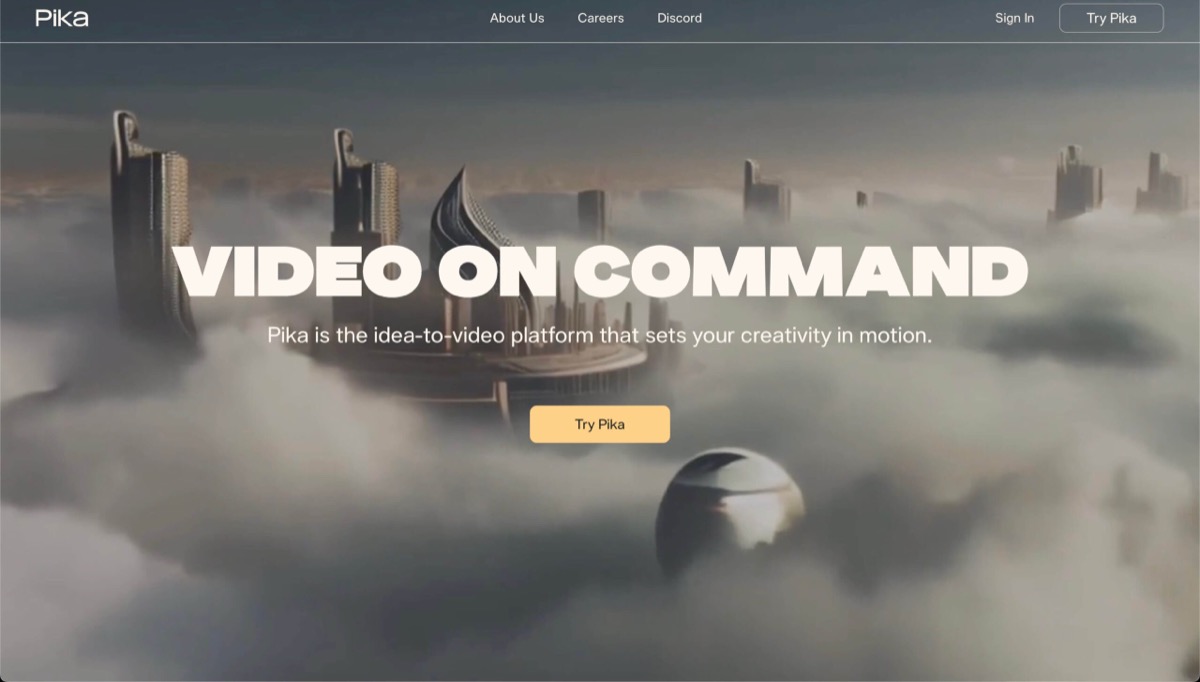
Why it ranks fourth: Pika is less intimidating than a production suite and better optimized for short, playful transformations. Its named workflows—additions, swaps, twists, effects, and object or character treatments—make the result easier to imagine before spending credits.
Prompt-driven generation plus image and video transformations — additions, swaps, twists and named effects — in social-native formats.
The named effects are the whole design. Instead of describing a transformation and hoping, you pick one and see it applied, which removes most of the guesswork that makes generators frustrating for beginners. It is built for testing five hooks in the time another platform takes to render one.
Pika’s current pricing page lists 80 credits on its free Basic tier. Paid Standard begins at $8 per month when billed yearly and adds faster generations, more model access, watermark-free downloads, purchasable rollover credits, and commercial use.
Pika — fast, high-energy transformation
A freeway destruction sequence with vehicles, creatures, debris and shifting camera angles. Short, dense spectacle produced quickly — Pika’s core strength.
Short excerpt used for product review; no audio is included.
Limitations: Pika’s strength is fast, compact spectacle—not long-form continuity or a complete editorial workspace. Highly specific camera blocking, multiple characters, or realistic physical interactions may need a more controlled model and several retries.
NSFW policy: Pika’s Terms incorporate its Acceptable Use Policy and restrict prohibited sexual and abusive content. It should not be treated as an uncensored adult generator.
Pros
- Low-friction free starting point
- Excellent for transformations, effects, and social hooks
- Named workflows are easier to understand than a blank prompt box
- Paid plans add watermark-free commercial output
Cons
- Short-form effects are not a substitute for multi-shot production
- Fine camera and continuity control trails the top cinematic tools
- Free credits disappear quickly during experimentation
- Acceptable-use restrictions exclude uncensored adult workflows
Bottom line
The fastest route to short, playful transformations without learning a production suite. It is not built for long-form continuity or editorial work.
5. PixVerse — Best for Fast Concepts, Effects, and V6 Experimentation
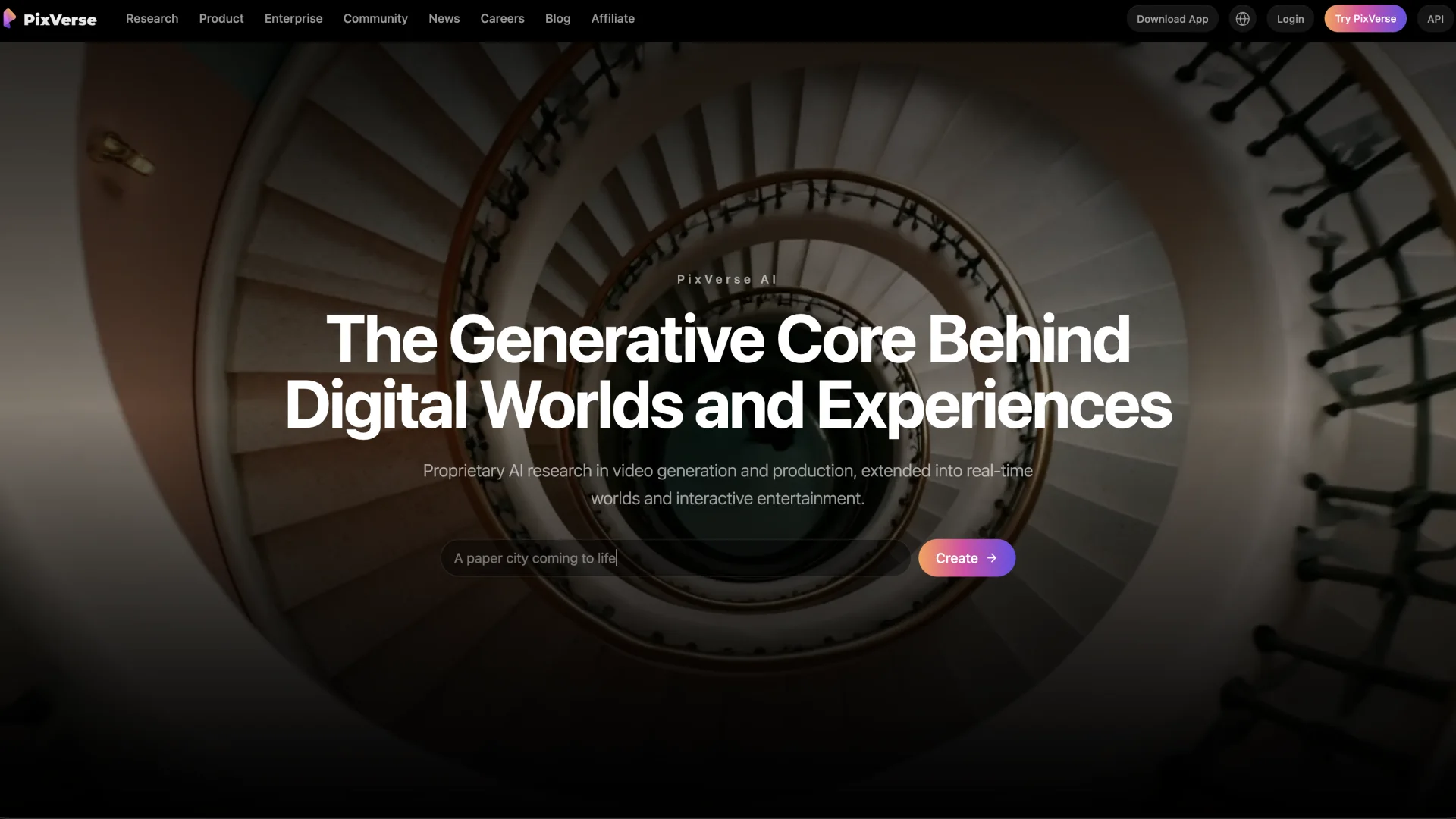
Why it ranks fifth: PixVerse is a productive middle ground between novelty effects and a full cinematic platform. It supports direct text/image generation, effect-led creation, optional audio, references, fast iteration, and model-specific controls without requiring a production-suite learning curve.
Text-to-video, image-to-video, references, effects and templates, with optional audio and up to 1080p on supported V6 configurations.
It sits between Pika's one-tap effects and a full production suite: enough control to steer a shot, few enough decisions to try a dozen directions in an afternoon. Anime, fantasy and creature work are where it looks strongest, and template-led prompting keeps that speed up.
The official PixVerse platform pricing lists V5.6 five-second clips from 35 credits at lower resolutions, 45 credits for 720p without audio, and 75 credits for 1080p without audio. Current V6 documentation describes longer generation and audio options, but consumer-app allowances can differ from API pricing.
PixVerse V6 — stylized creature motion and effects
Stylized movement with layered lighting and particle work. Strong on impact — watch the slower moments for the continuity trade-off.
Source: PixVerse V6 homepage. Short excerpt used for product review; no audio is included.
Limitations: Effects can look impressive while hiding continuity problems that appear in quieter human motion. The current Terms state that outputs are limited to non-commercial use unless separate authorization or a commercial-use license applies, so creators must confirm their exact plan before monetization.
NSFW policy: PixVerse’s public Terms do not provide a clear permission for explicit adult creation and require lawful, rights-cleared content consistent with public order and platform rules. Treat NSFW eligibility as unverified—not allowed by default.
Pros
- Fast route from idea to visually energetic clip
- Strong effects, fantasy, anime, and social experimentation
- Text, image, reference, audio, and template workflows
- Clear developer credit table for comparing duration and resolution
Cons
- Consumer and developer pricing do not always map neatly
- Commercial rights require careful plan and license verification
- Subtle human motion can expose continuity weaknesses
- No verified permission for explicit adult generation
Bottom line
A productive middle ground between novelty effects and a full cinematic platform. Effects can look impressive while hiding continuity problems that show up in quieter human motion.
6. HeyGen — Best AI Avatar Platform for Marketing and Translation
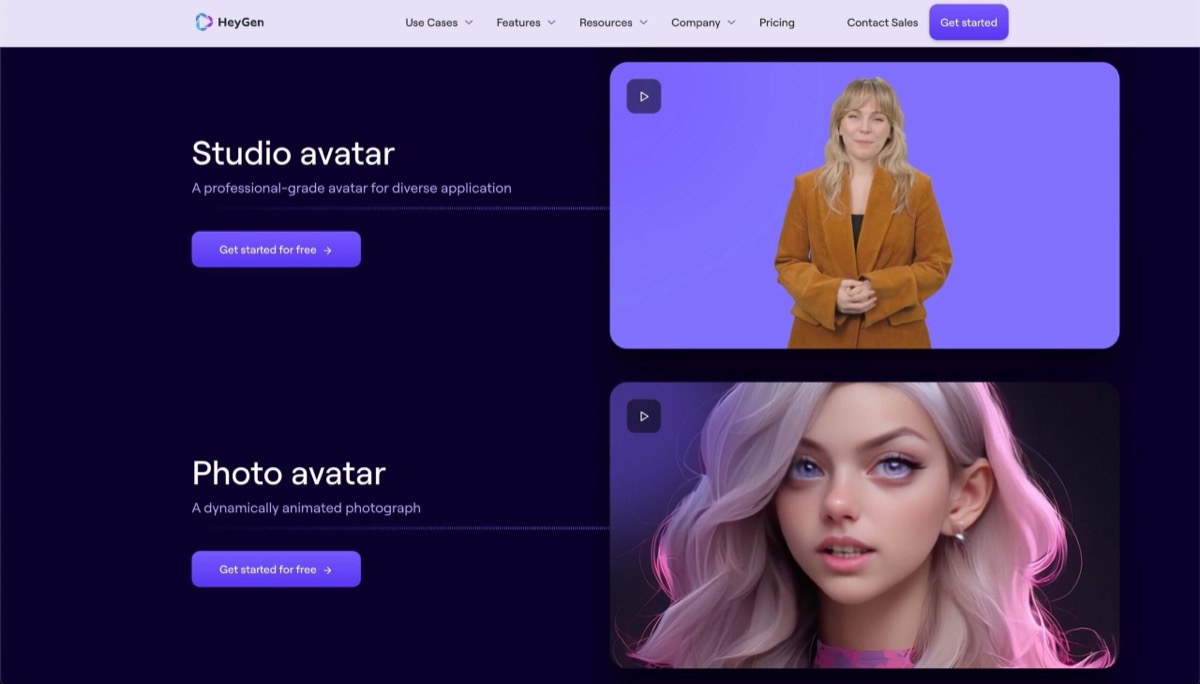
Why it ranks sixth: HeyGen is the highest-ranked specialist because it solves a commercially valuable job the cinematic models do not: turning a script into a consistent presenter-led video, then translating, dubbing, personalizing, and repurposing it without reshooting a human speaker.
Stock and custom avatars, photo avatars, script-to-video, voice cloning, translation, dubbing, lip-sync, captions and B-roll, with templates and an API.
The economics are the argument. One approved presenter and one cloned voice will produce a product explainer this week, a localised campaign next week and a personalised outreach clip the week after, with no camera, studio or reshoot in between. Translation and dubbing turn one script into a dozen markets.
HeyGen provides a limited free plan for short, watermarked 720p videos, making it possible to test presenter fit before buying. Paid plans expand duration, resolution, premium avatar generation, translation, voices, branding, and team features. Check the current HeyGen pricing page because avatar and translation usage can draw from different allowances.
HeyGen Avatar IV — presenter performance
Expression, head movement and speech holding together against a background. This is what script-to-presenter output looks like before you add branding.
Source: HeyGen Avatar IV homepage. Short excerpt used for product review; no audio is included.
Limitations: HeyGen is not the best tool for generating a cinematic environment or physically complex action. Presenter realism varies by avatar, script, voice, framing, and language, and custom likeness or voice creation requires documented consent.
NSFW policy: HeyGen moderates generated content and restricts sexually explicit, exploitative, deceptive, and non-consensual uses. It is not an adult-video generator.
Pros
- Strong expressive presenter and multilingual workflows
- Translation, voice cloning, dubbing, captions, and lip-sync in one platform
- Useful personalization and API options for teams
- Free route available for testing the format
Cons
- Not a direct competitor to cinematic scene generators
- Premium avatar features use limited allowances
- Consent and likeness governance are essential
- Moderation excludes explicit adult content
Bottom line
The strongest choice for turning a script into a presenter-led marketing or training video, including translation. It will not generate cinematic environments or physically complex action.
7. Synthesia — Best for Training, Onboarding, and Governed Business Video
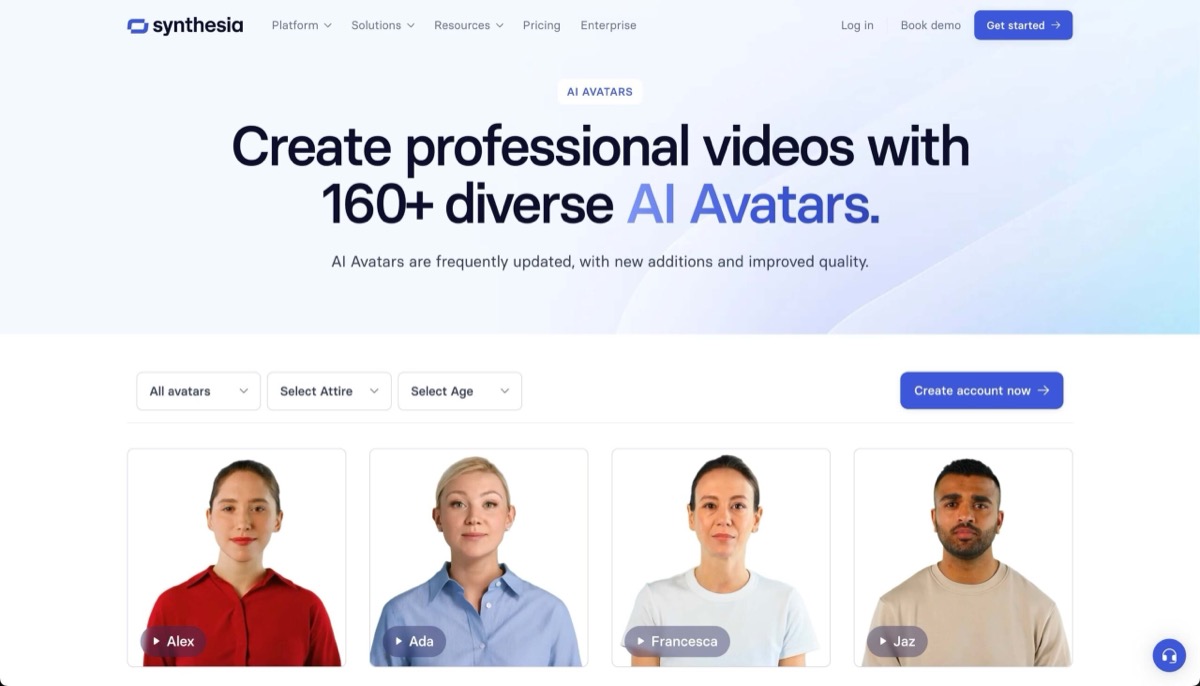
Why it ranks seventh: Synthesia prioritizes repeatability, templates, localization, review, and governance over cinematic spectacle. That makes it a better fit for a company producing hundreds of controlled training or internal videos than a creator chasing viral visual effects.
AI avatars, templates, scenes, voices, dubbing and translation, plus screen recording, brand kits, collaboration and structured review.
Everything here is built around changing a video later rather than making one now. Update a script, swap a scene, translate a course or apply a new brand system without reassembling a presenter, an editor and a localisation vendor. For compliance and onboarding material that has to stay current across languages, that is worth more than visual flair.
Synthesia offers a free plan and a separate free-video route. Its current pricing page lists paid self-serve access from $19 per month, with lower effective pricing on annual billing. Higher tiers expand minutes, avatars, stock media, brand, collaboration, and governance.
Synthesia — the workspace and template workflow
The editor, template library and presenter tools in sequence. The interface is the product here — repeatability matters more than any single shot.
Short excerpt used for product review; no audio is included.
Limitations: The controlled presenter style can feel formal for entertainment, direct-response UGC, or emotionally expressive storytelling. Minutes, avatar choice, stock libraries, and moderation differ by plan, and every video should be reviewed for pronunciation and factual accuracy.
NSFW policy: Synthesia applies content moderation to all videos and is designed for ethical business communication, not explicit sexual content.
Pros
- Purpose-built for repeatable training and internal communication
- Strong localization, review, templates, and brand governance
- Free route available before subscription
- Predictable scene-based workflow for non-video teams
Cons
- Less expressive and cinematic than creative-generation platforms
- Plan minutes and premium assets can constrain volume
- Formal avatar style is not ideal for every marketing format
- All output is moderated and unsuitable for adult content
Bottom line
Choose it when repeatability, localisation, review and governance matter more than spectacle. The controlled presenter style can feel formal for entertainment or direct-response UGC.
8. InVideo AI — Best for Turning a Brief Into a Finished Marketing Video

Why it ranks eighth: InVideo is useful when the deliverable is longer than a generated shot. Its agent can turn a prompt into a script, scenes, stock and generated media, voice, music, captions, transitions, and an editable video. That assembly layer saves more time than chasing one perfect five-second clip.
Prompt-to-script, stock selection, generative video and image models, avatars, voice cloning, narration, music, captions, scene replacement and brand assets, all inside one editor.
It is the only platform here that does not ask you to pick a model. Veo, Kling, Seedance and others sit behind an agent that mixes generated clips with licensed stock, so a scene that a generator would fumble gets filled with footage instead. That makes it weaker for judging any single model and stronger for actually finishing a ten-minute upload.
InVideo’s current pricing page lists Plus at $17 per month when billed yearly with 75 monthly credits, access to its model catalog and workflows, four avatars/voice clones, stock allowances, and watermark-free exports. Higher tiers scale credits, storage, stock, avatars, and concurrency.
InVideo AI — a finished scene from a prompt
One composed scene from a longer prompt-to-video run. It is assembled rather than generated in a single pass — the distinction that matters for marketing deliverables.
Source: InVideo AI homepage. Short excerpt used for product review; no audio is included.
Limitations: The first draft can feel generic if the prompt, visual brief, source selection, and pacing are vague. Because several models and stock providers can appear in one project, cost and commercial rights must be checked across the whole production—not only the InVideo subscription.
NSFW policy: InVideo’s terms prohibit pornographic content. It is a mainstream marketing and publishing platform.
Pros
- Produces a structured, editable video rather than one isolated shot
- Combines scripts, stock, generation, voice, music, captions, and editing
- Access to multiple leading models inside one workflow
- Good fit for longer marketing and faceless publishing formats
Cons
- First drafts can look templated without detailed direction
- Credits vary by the underlying model and workflow
- Stock, model, music, voice, and input rights all need review
- Pornographic content is prohibited
Bottom line
Best when the deliverable is a finished marketing video rather than a single generated shot. First drafts feel generic unless the brief, visual direction and pacing are specific.
AI Video Generator Feature Matrix
Capabilities by workflow
| Tool | Text to video | Image to video | Video editing / transform | Native or integrated audio | Reference / consistency controls | Best output type |
|---|---|---|---|---|---|---|
| Runway | ✓ | ✓ | ✓ | Integrated tools | Strong | Cinematic production |
| Kling AI | ✓ | ✓ | ✓ | ✓ | Strong | Audio + multi-shot clips |
| Luma | ✓ | ✓ | ✓ | Model-dependent | Strong | Cinematic iteration |
| Pika | ✓ | ✓ | ✓ | Workflow-dependent | Effects | Social transformations |
| PixVerse | ✓ | ✓ | ✓ | Optional | References | Stylized short clips |
| HeyGen | Presenter scripts | Photo/avatar | Avatar editing | ✓ | Avatar identity | Presenter marketing |
| Synthesia | Presenter scripts | Media-assisted | Scene editing | ✓ | Avatar + brand | Training and L&D |
| InVideo AI | ✓ | ✓ | ✓ | ✓ | Project assets | Finished marketing video |
Pricing and Cost Per Usable Video
The subscription price is only the first cost. A usable five-second shot may require several generations, while an avatar video can consume a minute allowance and a script-to-video project can draw from multiple model and stock pools. Track cost per approved result, not cost per button click.
Every figure below is arithmetic on the credit costs and plan allowances each platform publishes. A five-second 720p clip costs 60 credits on Runway, 30 on Kling without audio and 100 on Luma. Divide each monthly allowance by that, and the ranking inverts.
- Tool and output
- Luma Ray3.14 — 720p
- Entry paid plan
- Plus, $30/mo
- 5s clips per month
- 100
- Usable at 1-in-3
- 33
- Cost per usable clip
- $0.90
- Tool and output
- Kling Video 3.0 — 720p, no audio
- Entry paid plan
- Standard, $10/mo
- 5s clips per month
- 22
- Usable at 1-in-3
- 7.3
- Cost per usable clip
- $1.36
- Tool and output
- Kling Video 3.0 — 720p, native audio
- Entry paid plan
- Standard, $10/mo
- 5s clips per month
- 14.7
- Usable at 1-in-3
- 4.9
- Cost per usable clip
- $2.05
- Tool and output
- Runway Gen-4.5 — 720p
- Entry paid plan
- Standard, $12/mo annual
- 5s clips per month
- 10.4
- Usable at 1-in-3
- 3.5
- Cost per usable clip
- $3.46
- Tool and output
- Luma Ray3.14 — 1080p
- Entry paid plan
- Plus, $30/mo
- 5s clips per month
- 25
- Usable at 1-in-3
- 8.3
- Cost per usable clip
- $3.60
- Tool and output
- Pika — Standard
- Entry paid plan
- $8/mo annual
- 5s clips per month
- 700 credits/mo; per-clip cost not published
- Usable at 1-in-3
- —
- Cost per usable clip
- Not calculable
- Tool and output
- PixVerse — 720p (API pricing)
- Entry paid plan
- Essential, $100/mo
- 5s clips per month
- 333
- Usable at 1-in-3
- 111
- Cost per usable clip
- $0.90
| Tool and output | Entry paid plan | 5s clips per month | Usable at 1-in-3 | Cost per usable clip |
|---|---|---|---|---|
| Luma Ray3.14 — 720p | Plus, $30/mo | 100 | 33 | $0.90 |
| Kling Video 3.0 — 720p, no audio | Standard, $10/mo | 22 | 7.3 | $1.36 |
| Kling Video 3.0 — 720p, native audio | Standard, $10/mo | 14.7 | 4.9 | $2.05 |
| Runway Gen-4.5 — 720p | Standard, $12/mo annual | 10.4 | 3.5 | $3.46 |
| Luma Ray3.14 — 1080p | Plus, $30/mo | 25 | 8.3 | $3.60 |
| Pika — Standard | $8/mo annual | 700 credits/mo; per-clip cost not published | — | Not calculable |
| PixVerse — 720p (API pricing) | Essential, $100/mo | 333 | 111 | $0.90 |
The cheapest plan is not the cheapest output
Runway's $12 plan produces a usable 720p clip for about $3.46. Luma's $30 plan produces one for about $0.90 — roughly a quarter of the cost, on a subscription two and a half times more expensive. Luma's allowance is simply far larger relative to what one generation costs. If you finish more than four or five shots a month, the dearer subscription is the cheaper choice.
The one-in-three retry rate is an assumption, not a measurement, and it is the first number you should replace. Log your own accepted-to-rejected ratio for a week and recalculate: at one usable in six, Runway passes $6.90 per clip while Luma stays under $2. Avatar platforms are excluded because HeyGen and Synthesia meter finished minutes rather than generation attempts, so cost per usable minute is the comparable figure there. PixVerse publishes API pricing only, so that row is not comparable to a consumer plan.
- Tool
- Runway
- Free / Entry Path
- 125 one-time free credits; Standard from $15 monthly or $12 annual equivalent
- What Consumes Usage
- Credits per second/model; Gen-4.5 is 12 credits/sec
- Important Rights Note
- Confirm plan, uploaded media, likeness, music, and model-specific terms
- Tool
- Kling AI
- Free / Entry Path
- Free account; Standard currently listed at $10 monthly before promotions
- What Consumes Usage
- Credits per second by model, resolution, audio, and inputs
- Important Rights Note
- Free generated content is listed as non-commercial
- Tool
- Luma
- Free / Entry Path
- Free Draft Mode; Plus $30/month
- What Consumes Usage
- Credits rise sharply by resolution and HDR
- Important Rights Note
- Commercial use listed on Plus and above
- Tool
- Pika
- Free / Entry Path
- 80 free credits; Standard from $8/month annual equivalent
- What Consumes Usage
- Credits by effect/model and generation
- Important Rights Note
- Commercial use must be expressly included by the plan
- Tool
- PixVerse
- Free / Entry Path
- Free-to-start; developer credits sold separately
- What Consumes Usage
- Credits by duration, resolution, audio, and model
- Important Rights Note
- Terms restrict commercial use without authorization/license
- Tool
- HeyGen
- Free / Entry Path
- Limited free videos; paid plans expand premium usage
- What Consumes Usage
- Video duration plus premium avatar/translation allowances
- Important Rights Note
- Consent and plan scope matter for avatars and voices
- Tool
- Synthesia
- Free / Entry Path
- Free route; self-serve paid from $19/month
- What Consumes Usage
- Video minutes, avatars, dubbing, and assets
- Important Rights Note
- Review stock, avatar, brand, and distribution rights
- Tool
- InVideo AI
- Free / Entry Path
- Plus $17/month when billed yearly
- What Consumes Usage
- Agent/model credits, stock, avatars, and workflow usage
- Important Rights Note
- Review every model and stock source used in the project
| Tool | Free / Entry Path | What Consumes Usage | Important Rights Note |
|---|---|---|---|
| Runway | 125 one-time free credits; Standard from $15 monthly or $12 annual equivalent | Credits per second/model; Gen-4.5 is 12 credits/sec | Confirm plan, uploaded media, likeness, music, and model-specific terms |
| Kling AI | Free account; Standard currently listed at $10 monthly before promotions | Credits per second by model, resolution, audio, and inputs | Free generated content is listed as non-commercial |
| Luma | Free Draft Mode; Plus $30/month | Credits rise sharply by resolution and HDR | Commercial use listed on Plus and above |
| Pika | 80 free credits; Standard from $8/month annual equivalent | Credits by effect/model and generation | Commercial use must be expressly included by the plan |
| PixVerse | Free-to-start; developer credits sold separately | Credits by duration, resolution, audio, and model | Terms restrict commercial use without authorization/license |
| HeyGen | Limited free videos; paid plans expand premium usage | Video duration plus premium avatar/translation allowances | Consent and plan scope matter for avatars and voices |
| Synthesia | Free route; self-serve paid from $19/month | Video minutes, avatars, dubbing, and assets | Review stock, avatar, brand, and distribution rights |
| InVideo AI | Plus $17/month when billed yearly | Agent/model credits, stock, avatars, and workflow usage | Review every model and stock source used in the project |
Best AI Video Generator by Use Case
Cinematic ads, concept trailers, and production shots
Start with Runway when you need the broadest creative-production environment. Compare the same difficult shot in Kling when native sound, longer duration, or element consistency matters. Use Luma when draft-to-final iteration, video modification, or a cinematic visual finish is the priority — and when cost per finished shot matters more than breadth.
Social effects, loops, and fast visual hooks
Pika is the easiest route for transformation-led content, and the only free tier here that permits commercial use. PixVerse offers a wider bridge into model-driven generation, references, audio, and stylized effects. Both reward concise motion instructions and a strong source image.
Presenter, training, and multilingual business video
Choose HeyGen for expressive marketing presenters, personalized outreach, and dubbing. Choose Synthesia for governed training, onboarding, compliance, and repeatable localization across a company.
Longer faceless or marketing videos
Choose InVideo AI when you need an assembled draft with script, stock, generated scenes, voice, music, captions, and editing. It is less useful for judging one model’s raw visual quality but more useful for reaching a finished upload.
Can You Use These AI Video Generators for Free?
Yes, but “free” can mean a one-time credit deposit, a daily draft allowance, a watermarked export, a non-commercial license, a slow queue, or access to an older model. Pika currently offers the clearest lightweight free starting point. Luma’s Draft Mode is valuable for motion testing, and HeyGen or Synthesia can validate whether an avatar workflow fits before subscription.
Do not build a client commitment around a free tier. Generate a representative shot, export it, check resolution and watermark, read the rights language, then calculate how many attempts the paid plan supports.
NSFW and Adult-Content Policies
None of these eight tools is an uncensored adult-video recommendation
Runway, Pika, HeyGen, Synthesia, and InVideo publish explicit moderation or acceptable-use restrictions. Kling, Luma, and PixVerse do not provide a sufficiently clear public permission for explicit adult production, so they should also be treated as restricted unless the current policy expressly authorizes the intended content.
- Tool
- Runway
- Adult / NSFW Status
- Restricted
- Policy Source
- Usage policy
- Practical Interpretation
- Sexually explicit content and adult nudity are prohibited
- Tool
- Kling AI
- Adult / NSFW Status
- No verified permission
- Policy Source
- Terms
- Practical Interpretation
- Treat as mainstream/moderated; do not assume explicit output is allowed
- Tool
- Luma
- Adult / NSFW Status
- No verified permission
- Policy Source
- Terms
- Practical Interpretation
- Not positioned for explicit generation; verify before any sensitive use
- Tool
- Pika
- Adult / NSFW Status
- Restricted
- Policy Source
- Acceptable Use Policy
- Practical Interpretation
- Prohibited sexual, exploitative, and abusive content restrictions apply
- Tool
- PixVerse
- Adult / NSFW Status
- Unclear / restricted by default
- Policy Source
- Terms
- Practical Interpretation
- No explicit adult-use license; lawful-content and platform restrictions apply
- Tool
- HeyGen
- Adult / NSFW Status
- Restricted
- Policy Source
- Moderation policy
- Practical Interpretation
- Not suitable for explicit, exploitative, or non-consensual avatar use
- Tool
- Synthesia
- Adult / NSFW Status
- Restricted
- Policy Source
- Content moderation
- Practical Interpretation
- Every video is moderated; product is designed for ethical business use
- Tool
- InVideo AI
- Adult / NSFW Status
- Restricted
- Policy Source
- Terms and conditions
- Practical Interpretation
- Pornographic content is prohibited
| Tool | Adult / NSFW Status | Policy Source | Practical Interpretation |
|---|---|---|---|
| Runway | Restricted | Usage policy | Sexually explicit content and adult nudity are prohibited |
| Kling AI | No verified permission | Terms | Treat as mainstream/moderated; do not assume explicit output is allowed |
| Luma | No verified permission | Terms | Not positioned for explicit generation; verify before any sensitive use |
| Pika | Restricted | Acceptable Use Policy | Prohibited sexual, exploitative, and abusive content restrictions apply |
| PixVerse | Unclear / restricted by default | Terms | No explicit adult-use license; lawful-content and platform restrictions apply |
| HeyGen | Restricted | Moderation policy | Not suitable for explicit, exploitative, or non-consensual avatar use |
| Synthesia | Restricted | Content moderation | Every video is moderated; product is designed for ethical business use |
| InVideo AI | Restricted | Terms and conditions | Pornographic content is prohibited |
If explicit adult generation is the actual requirement, compare services built for that workflow in our AI porn video generator guide. Regardless of platform, never create sexual content involving minors, age ambiguity, real-person likeness without consent, coercion, or non-consensual intimate imagery.
How to Choose an AI Video Generator
A useful AI video platform must create or materially transform moving footage. Text-to-video generates a scene from a prompt. Image-to-video animates a supplied frame. Video-to-video changes an existing clip. Avatar systems create presenter performances from scripts and voice. Script-to-video platforms assemble narration, stock, generated media, captions, music, and editing into a longer finished sequence.
Those categories overlap, but they are not interchangeable. A creator producing a cinematic product shot needs reference control and motion quality. A training team needs presenter consistency, localization, templates, and approval. A social marketer may value generation speed, effects, vertical formats, and a fast editor more than frame-perfect realism.
- Define the deliverable: one cinematic shot, animated still, avatar presentation, or complete edited video.
- Test the hardest moment: use the same reference and motion instruction in two finalists. Do not waste credits proving an easy static shot.
- Measure retries: record the model, settings, duration, queue time, credits, and reason each rejected generation failed.
- Check the edit path: determine how you will extend, upscale, add audio, create continuity, caption, and export the result.
- Confirm rights: read the exact plan terms for commercial use, stock media, uploaded faces, voices, music, brands, and client work.
- Check policy fit: never assume a realistic model permits explicit, deceptive, violent, political, or real-person content.
Frequently Asked Questions
What is the best AI video generator overall?
Runway is the strongest all-round choice because generation, editing, references, performance capture and export sit in one workspace. It is also the most expensive place to iterate: at one usable clip in three attempts its $12 plan works out near $3.46 per finished 720p shot, against roughly $0.90 on Luma's $30 plan. Pick Runway when the pipeline matters more than the credit burn.
What is the best free AI video generator?
Pika, and the reason is a detail most roundups miss: its free Basic tier renews 80 video credits every month and permits commercial use. Runway's 125 free credits are a one-time deposit that never refills, and Kling's free plan explicitly forbids commercial use. Luma's Draft Mode is the better free option for motion testing rather than deliverables.
Which AI video generator is best for image-to-video?
All five generation platforms support it. Runway gives the most control over what happens after the animation, Kling holds a subject steady across a 15-second multi-shot sequence, and Pika is quickest for a single stylised transformation. If your source image is the finished frame and you only need motion, cheaper credits matter more than model breadth.
Which AI video generator produces the most realistic motion?
Runway, Kling and Luma are the credible candidates. Rather than trusting a demo, generate the same reference image and motion instruction in two of them and count retries — that number, not the sample reel, decides your real cost. Luma's Draft Mode makes this comparison cheapest to run because failed attempts cost a fraction of a finished generation.
Which AI video tools generate native audio?
Kling Video 3.0 generates audio in the same pass as the picture, at 9 credits per second at 720p against 6 without it — so sound raises your cost per clip from about $1.36 to $2.05 at a one-in-three retry rate. InVideo AI assembles voice, music and effects around generated scenes instead, and Runway offers separate audio tools rather than synchronised generation.
Which AI video generator is best for avatar videos?
HeyGen for marketing presenters, translation, dubbing and personalised outreach; Synthesia for training, onboarding and compliance where the same video must be updated and re-localised for years. Both meter finished minutes rather than generation attempts, so the cost-per-clip maths on this page does not apply to them — compare cost per finished minute instead.
Can AI-generated videos be used commercially?
Usually on paid plans, rarely on free ones. Kling's free tier states outright that output is not for commercial use, Runway does not state free-tier commercial rights at all, and Pika is the exception that grants it on a $0 plan. Rights also depend on your source material: an uploaded face, a licensed track or a brand asset carries its own terms regardless of the platform.
Do mainstream AI video generators allow NSFW videos?
No. Runway, Pika, HeyGen, Synthesia and InVideo publish explicit restrictions, and Kling, Luma and PixVerse give no clear permission — which should be read as a no. For adult work, see our AI porn video generator guide. Never generate sexual content involving minors, age ambiguity, or a real person's likeness without consent.
How We Score These Platforms
We reviewed the current product interfaces, official model documentation, pricing pages, terms, moderation policies, and published output examples, as of July 24, 2026. The ranking gives the most weight to output capability, controllability, useful production features, workflow clarity, cost visibility, commercial rights, and policy transparency.
Raw scene generators were assessed for text/image inputs, duration, resolution, temporal consistency, reference controls, camera direction, audio, editing, extensions, and export. Avatar platforms were assessed for presenter realism, voices, translation, branding, review, and scale. InVideo was assessed as an assembly platform because it combines models, stock, scripts, voice, and editing rather than behaving like a single foundation model.
Each platform is scored out of five on five published criteria, then weighted. The weighting is fixed and printed here so any score can be recalculated: output capability and control 35%, workflow and production features 25%, cost per usable output 20%, rights clarity 12%, policy transparency 8%.
Every input is a published fact — resolution and duration limits, credit costs, plan allowances, stated commercial rights, and whether an acceptable-use policy exists. Scores compare a platform against the job it is built for, not against every other tool: a specialist can score well in its own lane without being a better general-purpose generator.
- Tool
- Runway
- Output & control (35%)
- 5/5
- Workflow (25%)
- 5/5
- Cost per usable output (20%)
- 2/5
- Rights clarity (12%)
- 2/5
- Policy transparency (8%)
- 5/5
- Score
- 4.0 / 5
- Tool
- Kling AI
- Output & control (35%)
- 5/5
- Workflow (25%)
- 3/5
- Cost per usable output (20%)
- 4/5
- Rights clarity (12%)
- 2/5
- Policy transparency (8%)
- 2/5
- Score
- 3.7 / 5
- Tool
- Luma Dream Machine
- Output & control (35%)
- 4/5
- Workflow (25%)
- 3/5
- Cost per usable output (20%)
- 5/5
- Rights clarity (12%)
- 3/5
- Policy transparency (8%)
- 2/5
- Score
- 3.7 / 5
- Tool
- Pika
- Output & control (35%)
- 3/5
- Workflow (25%)
- 2/5
- Cost per usable output (20%)
- 3/5
- Rights clarity (12%)
- 5/5
- Policy transparency (8%)
- 4/5
- Score
- 3.1 / 5
- Tool
- PixVerse
- Output & control (35%)
- 3/5
- Workflow (25%)
- 2/5
- Cost per usable output (20%)
- 3/5
- Rights clarity (12%)
- 1/5
- Policy transparency (8%)
- 3/5
- Score
- 2.5 / 5
- Tool
- HeyGen
- Output & control (35%)
- 4/5
- Workflow (25%)
- 4/5
- Cost per usable output (20%)
- 3/5
- Rights clarity (12%)
- 3/5
- Policy transparency (8%)
- 5/5
- Score
- 3.8 / 5
- Tool
- Synthesia
- Output & control (35%)
- 4/5
- Workflow (25%)
- 5/5
- Cost per usable output (20%)
- 3/5
- Rights clarity (12%)
- 4/5
- Policy transparency (8%)
- 5/5
- Score
- 4.1 / 5
- Tool
- InVideo AI
- Output & control (35%)
- 3/5
- Workflow (25%)
- 5/5
- Cost per usable output (20%)
- 3/5
- Rights clarity (12%)
- 3/5
- Policy transparency (8%)
- 4/5
- Score
- 3.6 / 5
| Tool | Output & control (35%) | Workflow (25%) | Cost per usable output (20%) | Rights clarity (12%) | Policy transparency (8%) | Score |
|---|---|---|---|---|---|---|
| Runway | 5/5 | 5/5 | 2/5 | 2/5 | 5/5 | 4.0 / 5 |
| Kling AI | 5/5 | 3/5 | 4/5 | 2/5 | 2/5 | 3.7 / 5 |
| Luma Dream Machine | 4/5 | 3/5 | 5/5 | 3/5 | 2/5 | 3.7 / 5 |
| Pika | 3/5 | 2/5 | 3/5 | 5/5 | 4/5 | 3.1 / 5 |
| PixVerse | 3/5 | 2/5 | 3/5 | 1/5 | 3/5 | 2.5 / 5 |
| HeyGen | 4/5 | 4/5 | 3/5 | 3/5 | 5/5 | 3.8 / 5 |
| Synthesia | 4/5 | 5/5 | 3/5 | 4/5 | 5/5 | 4.1 / 5 |
| InVideo AI | 3/5 | 5/5 | 3/5 | 3/5 | 4/5 | 3.6 / 5 |
What these scores are not
These are not test results. Nobody here has run a controlled benchmark across eight platforms, and any page claiming one should show you its retry logs. The scores rank published capability, published cost and published rights — the things you can verify before spending money, and the things vendors are least willing to make easy to compare.
Final Verdict
If you are paying for one of these yourself and you want a single answer: start on Pika's free tier to learn what you actually need, then move to Luma when you start finishing work. Luma's $30 plan produces a usable 720p clip for roughly a quarter of what Runway's $12 plan costs, and that gap widens the more you generate. Buy Runway when you need the pipeline around the generator — references, performance capture, extensions, API — not because it is the cheapest way to make a shot.
Choose Runway for the most complete creative-production environment. Choose Kling for native audio and longer multi-shot output at a lower entry price. Choose Luma for cinematic draft-to-final iteration and the lowest cost per finished shot. Choose Pika or PixVerse for quick social concepts and effects.
For presenters, HeyGen is the stronger marketing and translation platform, while Synthesia is the better governed training system. Choose InVideo AI when the goal is a complete edited draft rather than a single generated shot.
The most reliable buying test is simple: define one difficult shot, generate it in two finalists, record every retry and credit, then finish the winning clip through sound and export. The model with the best demo is not automatically the model that produces the lowest-cost usable result for your workflow.