BetterWaifuFreemium
Adult anime art studio with Anima, Illustrious and Pony models, an OC Maker, image editing, upscaling, and Seedance text to video and image to video with audio.
NSFW image generationAI hentai
Browser based adult AI image generator with character presets, custom prompts, realistic and anime styles, and a separate photo restyler.
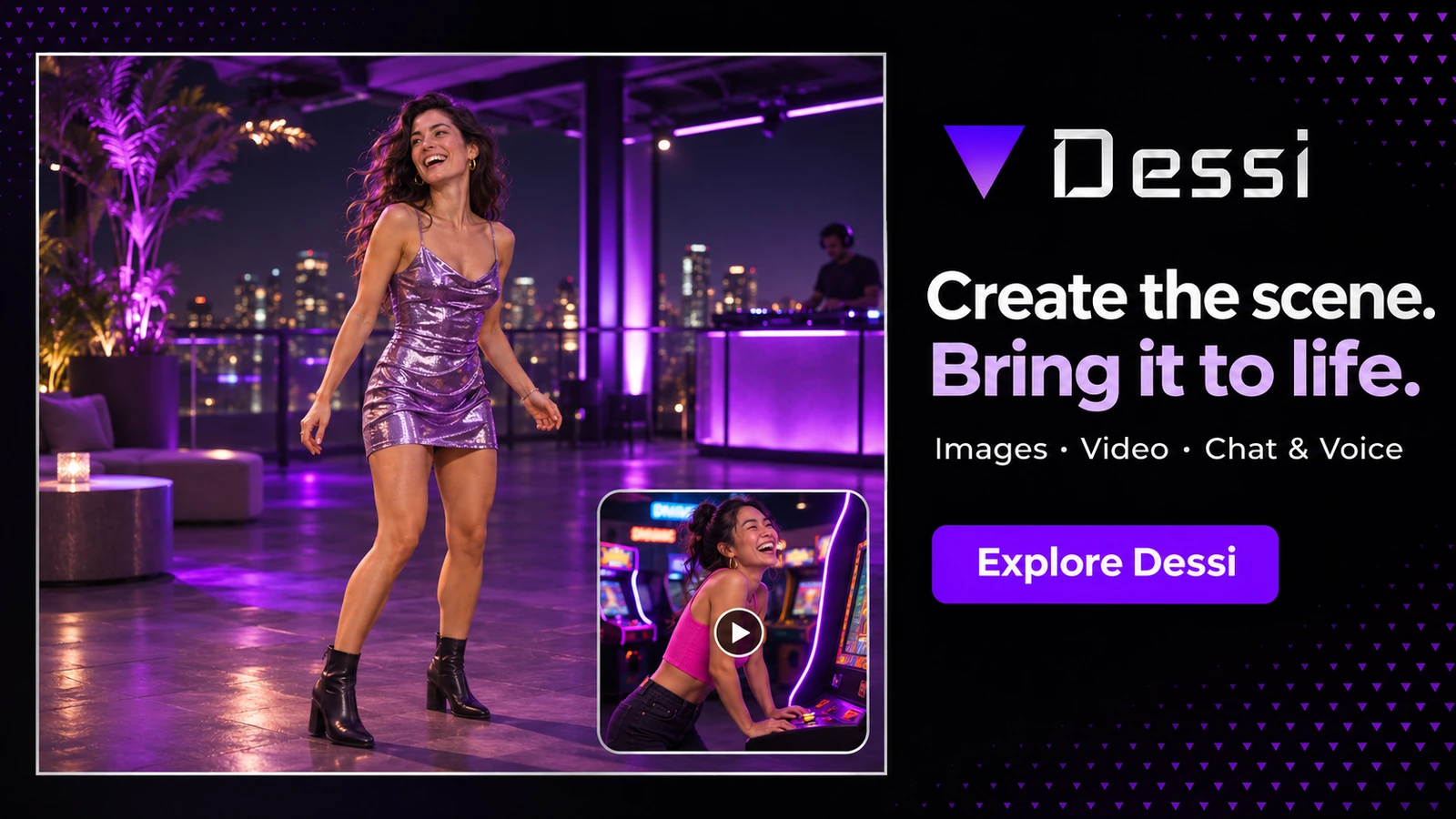
Dessi makes it easy to start an adult character image with menus, then move on to custom text when a scene needs more direction. Style Change is useful when you already have an image and want to try another look. The generator’s two fixed sizes make it a better fit for exploring ideas than preparing artwork to a specific size.
Dessi is a browser-based adult AI image generator with two starting points. Choose character attributes in Playground or open the prompt screen to describe a fictional adult and their surroundings. Both modes let you pick a realistic or anime style.
Editor's Pick
Voice, video & uncensored chat — 100% private. Your perfect partner, built to your exact specifications. Free to start.
If you already have an image, Style Change takes an upload and applies a visual preset. That gives you a way to try a different look without describing the whole scene again.
Playground builds an image from selections for appearance, clothing and scene. The prompt screen replaces that long menu with a text field. Both show the same portrait and landscape sizes.
Dessi also hosts separate tools for image face swaps, adult chat and text-to-speech. Each opens on its own page with its own controls and usage terms.
Dessi suits adults who have a character idea but want a short path from description to image. The preset builder is handy when you know how the person should look. The prompt screen is better suited to details that the menus don’t cover, such as a particular room or time of day.
| Feature | What it does | User benefit | Limitation or note |
|---|---|---|---|
| Character Playground | Choose attributes for the character and scene through menus. | Start with a concrete image brief without writing a prompt. | The choices are drawn from preset menus. |
| Custom Prompt | Enter a sentence or a list of visual details, then set style and orientation. | Describe settings and details that fall outside the builder’s presets. | The size selector offers 512 × 768 or 768 × 512. |
| Style Change | Upload an image and choose a look such as Anime, Clay or Watercolor. | Explore a new aesthetic while starting from the same composition. | The controls offer preset styles and a single Create action. |
In Playground, start with a production style, choose the adult character’s appearance and add details such as clothing, pose and setting. Select 512 × 768 for a portrait or 768 × 512 for a landscape. To see how the style affects the image, keep the rest of the choices the same when switching between Realistic and Anime.
Open Prompt when the menu choices are too broad. Describe your subject and scene in a sentence or a comma-separated list. For example, you could describe an adult character with short dark hair, a green coat and a train platform at dusk. Select a style and orientation before pressing Create.
Dessi Image Generator

Style Change begins with a PNG or JPEG upload. Choose a preset such as Anime, Realistic, Clay or Watercolor, then press Create. The source photo gives the tool a composition to work from, which is handy when the pose and framing already suit the image.
The interface exposes a style picker without a strength slider or region selector. Its controls are best suited to a change in the look of the whole image. Dessi asks for AI-generated material or explicit permission to edit other images.
Dessi’s AI Dance Generator turns a single PNG or JPEG into a video of the subject dancing. Choose a preset like Milk Dance or Chest Pop to give a character portrait a routine. You can try several movements on the same still without creating another portrait or filming the choreography.
Dessi advertises the Dance tool as free to use without signing up or hitting a request cap.
Dessi Video Generator
Image Face Swap has two upload slots, one for a source face and one for the target still. Dessi provides a crop editor and asks users to obtain explicit consent before editing images. The separate chat page offers adult roleplay. Dessi’s chat FAQ says conversations are deleted when you leave.
AI Voice turns typed text into speech. Choose a preset voice, such as Amelia or Sofia, or upload an MP3 or WAV sample of up to 30 seconds. Use a sample you have permission to use.
The preset builder makes it easy to change one attribute at a time while exploring a character design. The custom text box gives you room to specify details such as a time of day or background. Style Change lets you start each new look from the same source image.
The generator’s two fixed sizes give you limited room to choose a frame for a project with specific dimensions. Style Change gives you less editing control when only one area of an image needs work. Access rules and file retention also differ by tool.
Dessi advertises the character builder and custom prompt generator at $0, with no account, tokens or daily limit. Its terms restrict access to adults who meet their local age requirement.
| Tool | Best for | Key advantage | Main limitation | Review or comparison link |
|---|---|---|---|---|
| Promptchan AI | Remixing community images and refining a scene. | Clone loads a public image’s prompt and settings. Tweak takes instructions for changes such as lighting or outfit. | Free image creation uses an allowance of Gems. | Read the Promptchan AI review |
| Seduced AI | Making a series with a trained model. | A reusable model can carry a consistent subject across different image prompts and looks. | Generating with a trained model requires an active plan and credits. | Read the Seduced AI review |
| SoulGen | Editing selected areas or expanding a picture. | Select an area and describe the change, or use outpainting to extend a scene beyond its edges. | Smart Edit and Classic Edit charge credits per image. | Read the SoulGen review |
Promptchan AI is an option if you want to start from a community prompt and adjust the scene. Seduced AI’s model training is better suited to a recurring character. For edits to a selected part of an image, consider SoulGen.
Dessi is the simpler starting point when you want ready-made character attributes and whole-image style presets. Choose an alternative based on which of those extra controls you actually need.
Choose Dessi for simple adult character illustrations and full-image restyles from a browser. The two generator modes are its most useful feature. Start with Playground for a guided setup, then use Prompt when the scene needs details the preset menus don’t cover.
Browse adult image generators for more prompt tools or image-to-image tools if editing a source image is your main priority.
Limited Access
Voice, video & uncensored chat — 100% private. Your perfect partner, built to your exact specifications. Free to start.
Play the choice-driven relationship sim.

Build a custom companion from scratch.

The jealousy-driven sim experience.

Daily messages, photos, and personal attention.
Compare every AI girlfriend app.
2026 honest comparison rankings.
Adult anime art studio with Anima, Illustrious and Pony models, an OC Maker, image editing, upscaling, and Seedance text to video and image to video with audio.
Adult character chat and a multi model image/video studio with reusable profiles, uploaded references, prompt based editing, director controls, and settings dependent coin costs.
Adult AI studio for realistic and anime images, consistent characters, prompt level controls, image to video scenes, roleplay chat, and private galleries.
Media first AI girlfriend platform for fictional adult companions, private chat, memory, AI images, short V5 video, live rooms, and character consistent NSFW roleplay.
Browser based image transformation advertised as free without registration. Free limits, consent safeguards and retention claims remain unverified; PRO and video links lead to a separate service.
Uncensored AI image and video generator with 160+ models, unlimited generation from $10/month, inpainting on every paid tier and no watermark on any plan.
An adults only browser suite for NSFW image generation, image editing, undress effects, face swap, text to video, and image to video creation.
A browser based AI image and video studio with text to image, image to image, multi model video, effects, face swap, undress tools, and developer APIs.
Private multimodal AI platform with uncensored text and image models, published per model pricing, local chat history, video, speech and an OpenAI compatible API.
Video first adult AI companion with text driven live character sessions, lip synced replies, custom characters, and image and video generation.
Dessi is a browser based AI image generator for adults. It offers a character builder, a separate custom prompt screen and a tool for applying new styles to an existing image.
Dessi advertises the character and prompt modes as free to use. It says the generator requires no signup or tokens and publishes no daily cap.
Yes. The character builder and custom prompt screen both list Realistic and Anime styles, alongside options such as Semi realistic, Cartoon and Fantasy. Each mode offers portrait and landscape sizes.
Style Change takes an existing image and applies a preset such as Anime, Realistic or Watercolor. The generator starts from character settings or a text prompt and creates a new image.
Dessi’s Style Change FAQ says uploads are deleted within 24 hours. The image Face Swap and AI Voice FAQs also describe a 24 hour upload window and say generated outputs can be kept for up to 30 days.
Dessi’s AI Voice tool accepts an MP3 or WAV sample of up to 30 seconds. You can also choose a built in voice, then enter the text you want spoken.
NOTE: The official Dessi website is Dessi.co (previously Dessi.io). Dessi is an independent project and is not affiliated with any other website.
Answer 6 quick questions and get matched to the platforms that fit your preferences.
Find Your AI Companion