

Chub Venus, Venus Chub, and Chub AI now refer to the same character-roleplay ecosystem. The old venus.chub.ai address redirects to Chub AI, where you can browse characters, lorebooks, presets, stages, people, and tags before deciding how you want to power a chat. For a concise product verdict, see our Chub AI review.
Our verdict: Chub is one of the most flexible browser-based roleplay platforms for people who want control over character cards, prompts, lore, model choice, and branching conversations. That flexibility also creates a steeper learning curve than a hosted companion app. Beginners who only want to pick a character and start chatting may find a simpler alternative easier.
Naming update
Venus Chub was the name many users associated with the chat interface. In 2026, the active product and documentation use Chub AI. This guide uses both names so returning users can connect the old terminology with the current service.
Review snapshot
A strong power-user platform, but not the easiest first AI companion
- Best for
- Roleplay users, character creators, writers, and prompt tinkerers who want model choice and deep controls
- Not ideal for
- People who want instant onboarding, one predictable model, or a simple mobile-first companion
- Current public price
- $20/month on the current public hosted plan; external API and local costs vary
- Free access
- Browsing is open; new users may receive limited one-time trial credits
- Adult-content fit
- Permissive for adult private roleplay, with platform, legal, public-content, and model-provider limits
- Setup difficulty
- Medium with the hosted plan; advanced with BYOK or local models
Chub AI or a simpler companion app?
Compare the shortlist, then test the workflow that fits.
For adult companion use cases, OurDream AI is a private custom-character option with chat and media in one place.
Companion Option
Try A Custom AI Companion Workflow
Start with a custom character, then compare whether chat, images, voice, memory, and short clips match your preferred workflow.
Chub is worth choosing when control matters more than convenience. It lets you shape the character, prompt, lore, generation settings, and model connection instead of accepting one fixed chatbot. The trade-off is that results depend on the whole setup, so a weak card or mismatched preset can make a strong model feel poor.
Choose Chub AI if you want:
- Detailed character cards, reusable lorebooks, and model-specific presets.
- A choice between Chub-hosted models, your own API provider, or a compatible local endpoint.
- Branching conversations, message editing, exports, and deeper roleplay controls.
- A community library that you can inspect before committing to a character.
Choose a simpler alternative if you want:
- One predictable model with no API, preset, or endpoint decisions.
- A mobile-first companion experience with minimal setup.
- More consistent onboarding and fewer community-made variables.
- An all-in-one chat and media workflow rather than a modular roleplay workspace.
The practical verdict: Chub is stronger for builders and power users; a hosted companion app is usually easier for someone who wants to select a character and begin immediately.
What Chub AI Is Today
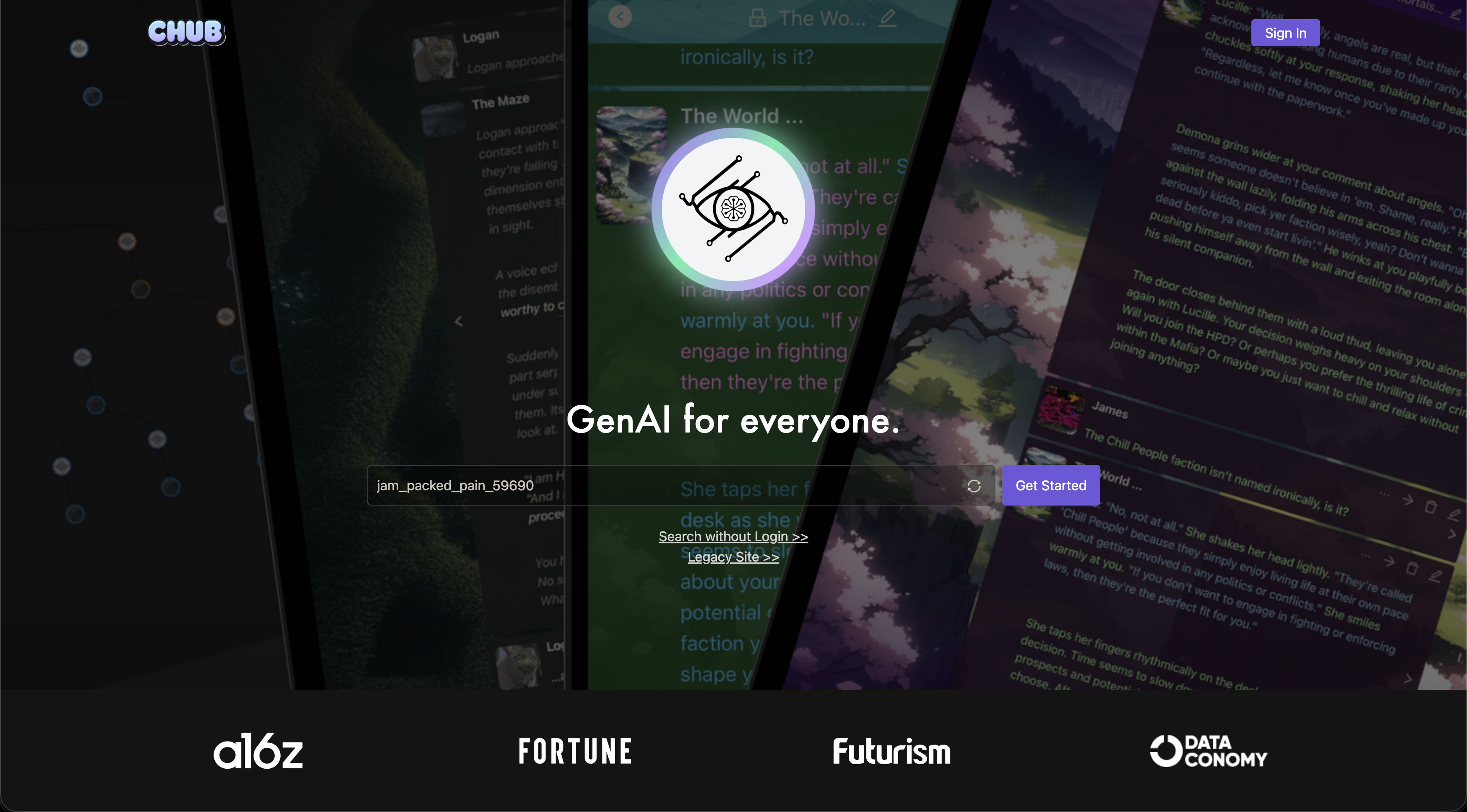
Chub is a browser-based workspace for building, sharing, and chatting with AI characters. A character card defines the persona, greeting, scenario, behavior, and other instructions. The Chub interface then combines that character data with your prompt settings, optional lorebooks, and whichever language-model route you select.
The older description of Chub as “only a frontend with no AI” is no longer complete. You can still bring an API key or connect a local endpoint, but Chub also sells a hosted subscription that removes the need to manage external keys. Its current public subscription page advertises unlimited access to Chub-hosted models, voice, multimedia generation, early model access, and future model releases for one user.
This distinction matters because Chub is not one fixed chatbot. Conversation quality, context handling, speed, cost, and provider restrictions can change when you switch the model route, preset, or character card. A great setup can feel dramatically better than a poorly configured one.
How Chub AI works: three moving parts
Chub becomes much easier to understand when you separate the character, the workspace, and the model. Each layer has a different job, and changing any one of them can change the conversation.
- The character card supplies the role. It contains the persona, scenario, greeting, example dialogue, creator instructions, and optional lore that tell the model who it should portray.
- Chub manages the conversation. The browser interface combines the card with your preset, chat history, generation controls, stages, branches, and edits.
- The selected model writes the response. You can use Chub's hosted models, connect a supported external provider, or point Chub at a compatible local or self-hosted endpoint.
This separation explains why two people can use the same character and get very different results. Their model, preset, context window, lore activation, and generation settings may not be the same.
Core Features That Make Chub Different
Character cards and community discovery
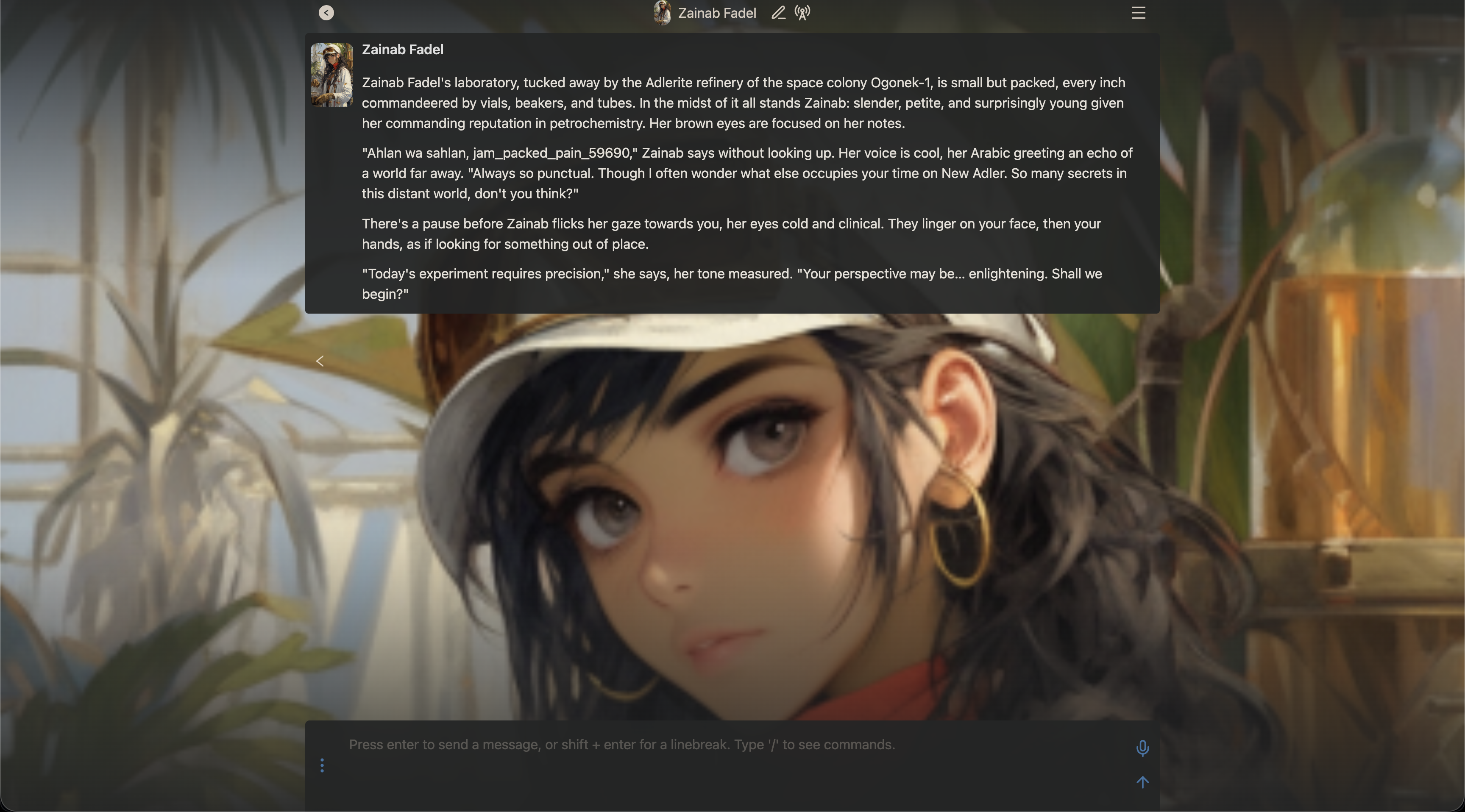
Chub's core unit is the character card. Public cards can include a personality, scenario, initial message, example dialogue, tags, alternate greetings, and creator notes. The quality varies because cards are community-made, but the format gives advanced users far more control than a short “describe your companion” form.
You can browse without signing in and filter across characters, lorebooks, presets, stages, people, and tags. That makes Chub useful as both a chat interface and a repository of reusable roleplay building blocks.
Presets and generation controls
Presets bundle the prompt structure and generation settings used by a particular model. They can control temperature, token limits, repetition behavior, system prompts, post-history instructions, and text-to-speech settings. Because presets are model-specific, copying a popular configuration blindly may produce worse results on a different model.
For beginners, the practical rule is simple: start with a preset made for your chosen route, change one setting at a time, and keep a copy of a configuration that works.
Lorebooks for selective memory and world-building
A Chub lorebook stores background information that is inserted when defined keywords are triggered. This can keep locations, relationships, factions, or recurring rules available without placing every detail permanently in the character definition.
Lorebooks are powerful, but they are not magical long-term memory. Their usefulness depends on trigger keywords, scan depth, insertion priority, token budget, and the model's ability to follow the supplied context.
Stages, branching, and exports
Stages extend chats with custom interfaces, expressions, prompt behavior, or other interactive logic. They are primarily an advanced feature and should never be given passwords or API keys. Chub also supports a full conversation tree, so you can return to an earlier response and continue along a different branch.
Chats can be exported in formats including JSONL, PNG, or text. That is valuable for writers and users who want a backup or want to move a conversation into another compatible interface.
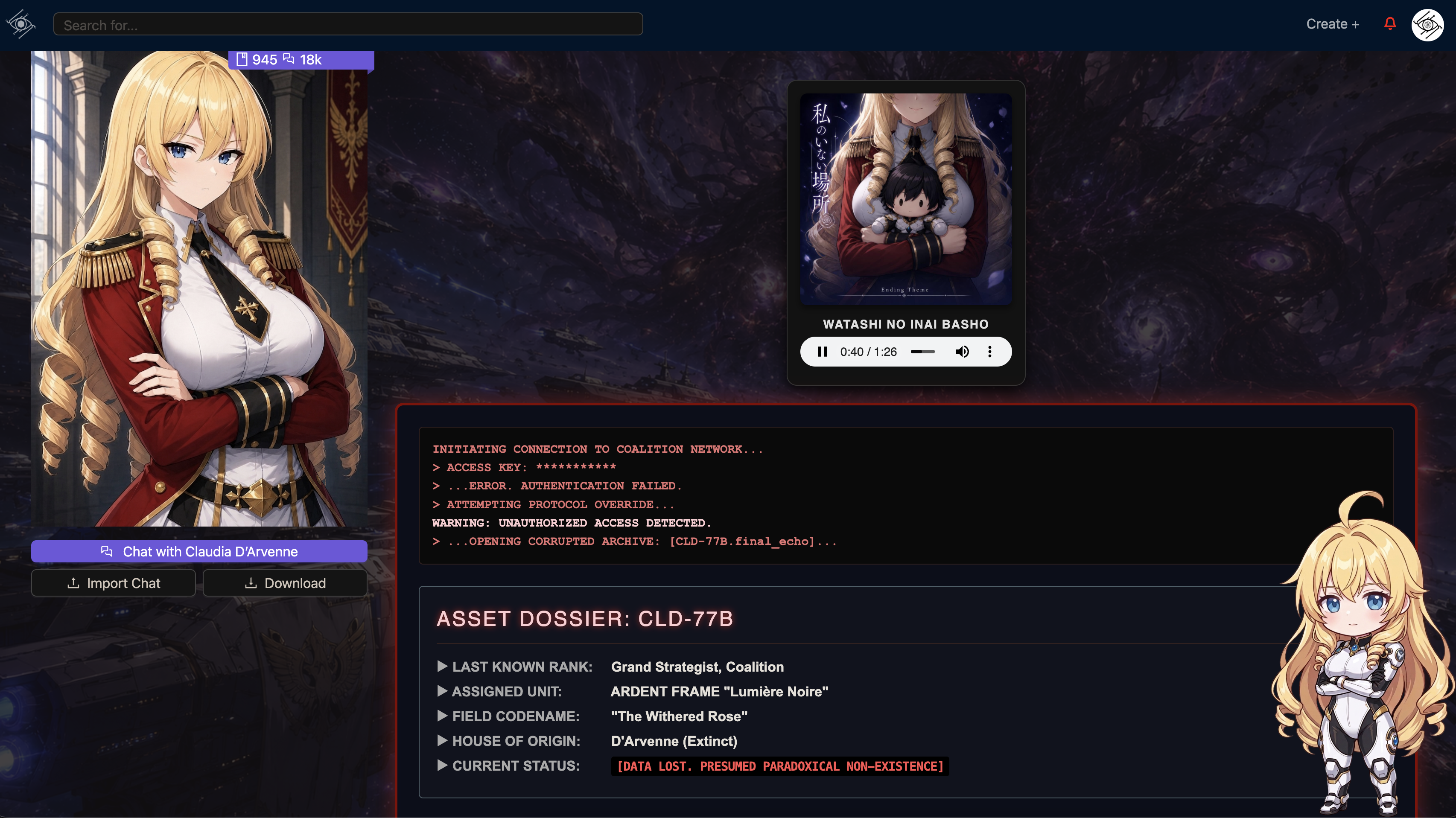
Visual character example
Character presentation extends beyond the chat transcript
This platform image shows the polished, portrait-led artwork that can sit alongside Chub's character-card and chat ecosystem. It is presentation media, not a promise that every card, model, or creator workflow will produce the same visual quality.
- Character artwork gives a card a recognizable visual identity
- Portraits and scene media can reinforce the roleplay setting
- Image quality and consistency vary by creator, model, and workflow

How to Use Chub AI
- Open the current Chub site. If you visit the old Venus address, you should land on chub.ai. You can inspect the search library without logging in.
- Create an 18+ account. Registration is required before private chat and account-specific settings are available.
- Choose a character carefully. Read the card description, tags, first message, creator notes, token size, and public feedback. A polished image does not guarantee a well-built prompt.
- Select a model route. Use Chub's hosted subscription for the simplest setup, bring a supported API key for provider choice, or connect a compatible local endpoint for maximum infrastructure control.
- Apply a compatible preset. Confirm that it was designed for your model. Review the prompt structure and generation settings instead of assuming the default is optimal.
- Add lorebooks or stages only when useful. Start with a clean chat first. Extra context and extensions can make troubleshooting harder when the initial setup is already unstable.
- Test with a short repeatable scene. Compare character consistency, repetition, pacing, and instruction-following before committing to a long conversation.
- Protect keys and sensitive information. Use official provider keys, avoid unknown reverse proxies, and never paste credentials into a character, stage, or chat.
API-key safety
Chub's documentation recommends official API keys instead of unofficial reverse proxies. A third-party route can introduce separate logging, billing, moderation, and security policies even when the Chub interface itself remains the same.
Chub AI Pricing and Free Access
Chub has three practical access paths. They should not be presented as one fixed monthly total because external provider usage and local hardware costs are variable.
- Access path
- Browse and trial access
- Current cost
- $0 to browse; limited trial credits may be issued
- What it includes
- Public discovery plus a small amount of hosted-model testing when credits are available
- Best for
- Checking the interface before paying
- Access path
- Chub hosted subscription
- Current cost
- $20/month on the current public page
- What it includes
- Integrated hosted models, voice, multimedia, and early access without external key management
- Best for
- Users who want Chub's controls with simpler setup
- Access path
- BYOK or compatible local endpoint
- Current cost
- Provider usage or your own hardware/electricity
- What it includes
- Wider model choice and more control over cost, policies, and infrastructure
- Best for
- Technical users and model experimenters
| Access path | Current cost | What it includes | Best for |
|---|---|---|---|
| Browse and trial access | $0 to browse; limited trial credits may be issued | Public discovery plus a small amount of hosted-model testing when credits are available | Checking the interface before paying |
| Chub hosted subscription | $20/month on the current public page | Integrated hosted models, voice, multimedia, and early access without external key management | Users who want Chub's controls with simpler setup |
| BYOK or compatible local endpoint | Provider usage or your own hardware/electricity | Wider model choice and more control over cost, policies, and infrastructure | Technical users and model experimenters |
Price check
Older reviews may mention a lower Mercury tier or estimate a combined platform-plus-API bill. Chub's current public subscription page prominently presents a $20/month hosted offer. Check the live checkout before paying because tiers, payment methods, trial credits, and included models can change.
Bring-your-own-key costs should never be reduced to a universal “price per message.” Token length, context size, model pricing, retries, and output length all affect the bill. Local models avoid a third-party per-token charge but require compatible hardware, setup time, maintenance, and electricity.
Is Chub AI NSFW or Uncensored?
Chub is relatively permissive for private adult roleplay, but “uncensored” does not mean “no rules.” The service is restricted to adults aged 18 or older, and Chub's platform rules still apply to public characters, lorebooks, presets, stages, images, comments, and illegal material.
- Area
- Private character chat
- What to expect
- Broad adult roleplay is possible when the selected model supports it
- Important limit
- The model provider can still filter or refuse content
- Area
- Public text projects
- What to expect
- Characters, lorebooks, presets, and stages can be shared
- Important limit
- Illegal content and sexualization of anyone under 18 are prohibited
- Area
- Public images
- What to expect
- Adult imagery may appear with moderation controls
- Important limit
- Illegal imagery, sexualized minors, realistic minors, and illegal real-person imagery are removed
- Area
- Comments and community interaction
- What to expect
- Users can discuss and report projects
- Important limit
- Illegal or repeatedly abusive interpersonal content can be moderated
- Area
- External model route
- What to expect
- Output depends on the connected provider or local model
- Important limit
- Provider terms, filters, retention, and regional rules remain separate
| Area | What to expect | Important limit |
|---|---|---|
| Private character chat | Broad adult roleplay is possible when the selected model supports it | The model provider can still filter or refuse content |
| Public text projects | Characters, lorebooks, presets, and stages can be shared | Illegal content and sexualization of anyone under 18 are prohibited |
| Public images | Adult imagery may appear with moderation controls | Illegal imagery, sexualized minors, realistic minors, and illegal real-person imagery are removed |
| Comments and community interaction | Users can discuss and report projects | Illegal or repeatedly abusive interpersonal content can be moderated |
| External model route | Output depends on the connected provider or local model | Provider terms, filters, retention, and regional rules remain separate |
OpenAI, Anthropic, Google, OpenRouter-hosted models, and other providers each have their own acceptable-use rules. A local or permissive model may reduce model-level refusals, but it does not override Chub's public-content rules or applicable law.
Privacy, Private Chats, and Data Handling
Chub's current privacy and terms pages make several useful distinctions. Public characters and public chats are designed to be seen by others. Private characters and chats are described as being accessed programmatically only to provide the service, not distributed to third parties or used to train an AI model. Chub also says content sent directly to its inference endpoints outside the UI is not logged or stored, although operational metadata such as user ID, time, model, input/output length, and request duration may be retained.
Those statements do not automatically extend to an external model provider. If you connect OpenAI, Anthropic, OpenRouter, Google, NovelAI, a reverse proxy, or another endpoint, your prompts and outputs travel through that service under its own privacy and retention terms.
- Keep sensitive personal, financial, health, and identifying information out of roleplay chats.
- Use private visibility for characters or lore you do not want shared publicly.
- Do not reuse an API key across untrusted services.
- Revoke a key immediately if it is exposed.
- Export important chats instead of treating any hosted conversation as your only copy.
Best Chub AI alternatives by use case
Best for
A community character-chat experience with a more familiar hosted workflow
Janitor AI
- Why choose it
- It preserves the character-library appeal and can be easier to approach for users who do not need Chub's full preset, lorebook, and stage system.
- Main trade-off
- Model access, context, and advanced controls depend on the current Janitor setup and may still require configuration.
Best for
Simpler hosted adult character chat without BYOK decisions
SpicyChat AI
- Why choose it
- It reduces the initial model-routing work and focuses on choosing a character and starting a conversation.
- Main trade-off
- You give up much of Chub's backend flexibility, extensibility, and granular prompt control.
Best for
Maximum local and frontend control
SillyTavern
- Why choose it
- It is the strongest fit for users who want to manage models, extensions, prompts, lore, and local infrastructure themselves.
- Main trade-off
- It is a frontend rather than a ready-made hosted companion service and has the highest setup burden in this shortlist.
Best for
A ready-to-chat hosted alternative with fewer technical choices
CrushOn AI
- Why choose it
- It suits users who prioritize quick onboarding and built-in model access over configuring APIs, presets, or local endpoints.
- Main trade-off
- It offers less control over model routing and advanced world-building systems than Chub.
Frequently Asked Questions
Are Chub Venus and Chub AI the same?
Yes. Venus Chub is older terminology associated with the chat interface. The old Venus URL now redirects to the current Chub AI site, which contains the active search, chat, subscription, documentation, and account experience.
Is Chub AI free?
You can browse public content without paying. New users may receive limited trial credits for hosted-model testing, but sustained hosted use requires the current subscription or a compatible external/local model connection.
How much does Chub AI cost?
The current public Chub subscription page advertises a $20/month hosted plan. Bring-your-own-key pricing depends on the model provider and token usage. A local endpoint has no provider charge but still has hardware and operating costs.
Does Chub AI allow NSFW chat?
Adult private roleplay is broadly supported when the selected model allows it. Chub remains an 18+ service with legal and public-content restrictions, and an external provider may apply additional filters.
Do I need an API key?
Not if you use Chub's hosted subscription or available trial credits. You need a key or compatible endpoint when you choose a bring-your-own-provider or local/self-hosted route.
Does Chub AI have an app?
Chub is primarily a browser-based service and works on desktop and mobile browsers. Verify any downloadable client through Chub's official site or documentation rather than trusting an unofficial app listing.
Does Chub use private chats for model training?
Chub states that private characters and chats are not used to train an AI model. External providers have separate policies, so review the terms of whichever model route you connect.
What is the difference between a preset, lorebook, and stage?
A preset controls prompt structure and generation settings. A lorebook inserts relevant background when defined triggers appear. A stage extends the chat with additional interface or behavioral logic.
Final Verdict
Chub AI is worth considering when control matters more than simplicity. Its combination of character cards, model routing, presets, lorebooks, stages, branching, voice, and exports gives experienced users a deeper roleplay workspace than most one-model companion apps.
It is not the automatic winner for everyone. If you do not want to compare models, protect API keys, tune presets, or troubleshoot context, choose a hosted alternative. If you enjoy building a reusable character and world system—and you understand that output quality depends on the complete setup—Chub remains one of the most capable options in this category.