

A long roleplay needs somewhere to keep its cast, world rules and changing events. Some chatbots let you edit a reply; others preserve branches or control the next speaker. The right tools depend on whether you are exploring one character, directing a group or writing with friends.
Quick verdict
OurDream lets you direct which character speaks next. HammerAI supports a cast and world lore, including optional local models; SpicyChat suits character discovery and cloned story paths. AgnAIstic adds human collaborators, while Chub's chat tree helps you revisit branches.
The top three at a glance
Top 3 AI Roleplay Chatbots Compared

OurDream AI
Best for Directed Scenes
Create characters with their own backstories, choose who replies in group scenes and switch chat models without configuring a separate model provider.
Bring your cast into one scene and choose which character speaks next.
Try OurDream AIHammerAI
Best for Building a World
Create your cast, add world details to lorebooks and revise dialogue, with local desktop models for offline scenes or cloud models for easy access.
Play your own story offline with a local model and a cast you created.
Try HammerAI
SpicyChat AI
Best for Free Character Discovery
Choose ready-made characters or build your own, edit replies and clone a chat to try a new plot, with free messages and group scenes for a wider cast.
Try a new plot without losing your story by cloning your conversation.
Try SpicyChat AICreate the companion first, then compare the apps.
OurDream AI covers custom characters, private chat, images, voice, memory, and short clips in one adult companion workflow.
Custom Companion Pick
Build Your AI Dream Companion
Design a custom AI partner, test chat and media features, and decide whether an all-in-one companion workflow fits your use case.
Key Takeaways
- Character definitions set the role; scenarios establish the opening situation. Lorebooks supply world details when relevant keywords appear.
- An edited reply, a cloned conversation and a saved branch do different jobs. Choose the control that preserves the version of the story you want to keep.
- Group chat can mean several AI characters or a room with human players. AgnAIstic supports both people and bots; SpicyChat lets free users choose the next AI speaker.
- SpicyChat and Janitor provide ongoing free text access. HammerAI has a daily cloud allowance; Chub trial credits are one-time rather than a renewing free tier.
- A larger context window is room for more input, not proof of accurate recall. Correct saved notes as well as the dialogue when changing an established event.
Check the rules for your scene
Roleplay can be adventure, mystery, friendship or romance. Content rules still apply, and a connected model provider may have different limits from the chat interface. Check whether your chosen model runs on your device or sends messages to a cloud service.
Quick Comparison Table
Compare all 81. OurDream AI · 2. HammerAI · 3. SpicyChat AI
- App
- 1. OurDream AI
- Choose it for
- Directing who speaks in your custom cast
- What you can control
- Set personality and backstory; choose the next speaker by portrait or @.
- Free access and paid limits
- Limited free chat; Premium includes standard chat. Thinking replies, images, videos and calls use coins.
- App
- 2. HammerAI
- Choose it for
- Building a world with optional offline play
- What you can control
- Edit both sides of the dialogue, undo a turn and add world facts triggered by keywords.
- Free access and paid limits
- 600 free cloud messages daily; unlimited paid cloud chat from $9/month. Local models need suitable hardware.
- App
- 3. SpicyChat AI
- Choose it for
- Trying new story paths with ready-made characters
- What you can control
- Edit replies, steer the scene and clone a chat while keeping the original.
- Free access and paid limits
- Unlimited free messages; manual saved-memory controls from $5.95/month, automatic summaries from $19.95/month.
- App
- 4. AgnAIstic
- Choose it for
- Sharing a scenario with other people and bots
- What you can control
- Reuse scenes, trigger story events and edit replies in a shared chat.
- Free access and paid limits
- Free built-in chat; optional paid model upgrades. External model providers may charge separately.
- App
- 5. Chub AI
- Choose it for
- Returning to a decision and exploring another outcome
- What you can control
- Keep branching chat paths and change a character’s setup for one conversation.
- Free access and paid limits
- One-time trial credits; hosted access is $20/month, paid in crypto. Your own model connection is another option.
- App
- 6. CrushOn AI
- Choose it for
- Playing different personas and saving scene details
- What you can control
- Switch your player profile, pin facts and save selected messages.
- Free access and paid limits
- Unlimited Free Models plus 100 monthly Pro credits. Free chat history is deleted after seven inactive days.
- App
- 7. Soulkyn
- Choose it for
- Building RPG worlds around an original cast
- What you can control
- Add reusable world files, update saved plot facts and run scenes with up to eight characters in total.
- Free access and paid limits
- Limited trial; groups and world files require Deluxe at €49.99/month or above.
- App
- 8. Janitor AI
- Choose it for
- Trying community characters and developing your own bot
- What you can control
- Set your persona, update plot notes and load lore when keywords appear.
- Free access and paid limits
- Unlimited standard chat; $12.99/month for more context with Janitor+. Router model usage costs extra.
| App | Choose it for | What you can control | Free access and paid limits |
|---|---|---|---|
| 1. OurDream AI | Directing who speaks in your custom cast | Set personality and backstory; choose the next speaker by portrait or @. | Limited free chat; Premium includes standard chat. Thinking replies, images, videos and calls use coins. |
| 2. HammerAI | Building a world with optional offline play | Edit both sides of the dialogue, undo a turn and add world facts triggered by keywords. | 600 free cloud messages daily; unlimited paid cloud chat from $9/month. Local models need suitable hardware. |
| 3. SpicyChat AI | Trying new story paths with ready-made characters | Edit replies, steer the scene and clone a chat while keeping the original. | Unlimited free messages; manual saved-memory controls from $5.95/month, automatic summaries from $19.95/month. |
| 4. AgnAIstic | Sharing a scenario with other people and bots | Reuse scenes, trigger story events and edit replies in a shared chat. | Free built-in chat; optional paid model upgrades. External model providers may charge separately. |
| 5. Chub AI | Returning to a decision and exploring another outcome | Keep branching chat paths and change a character’s setup for one conversation. | One-time trial credits; hosted access is $20/month, paid in crypto. Your own model connection is another option. |
| 6. CrushOn AI | Playing different personas and saving scene details | Switch your player profile, pin facts and save selected messages. | Unlimited Free Models plus 100 monthly Pro credits. Free chat history is deleted after seven inactive days. |
| 7. Soulkyn | Building RPG worlds around an original cast | Add reusable world files, update saved plot facts and run scenes with up to eight characters in total. | Limited trial; groups and world files require Deluxe at €49.99/month or above. |
| 8. Janitor AI | Trying community characters and developing your own bot | Set your persona, update plot notes and load lore when keywords appear. | Unlimited standard chat; $12.99/month for more context with Janitor+. Router model usage costs extra. |
AI Roleplay Chatbots Ranked and Reviewed
1. OurDream AI — Best for Custom Characters and Directed Scenes

OurDream AI suits readers who want to create a cast and start a scene without configuring a separate model provider. Define a character's appearance, personality and backstory, then give the conversation an opening situation. Its group controls are particularly useful when several characters need distinct roles: click a portrait or use @ to choose who answers next. You can direct a disagreement between two fictional detectives instead of leaving every reply to the model's choice.
Character creation, model selection and optional media sit in the same account. You can change chat models while keeping the character definition, which lets you try a different style of response without rebuilding the cast. Asterisks distinguish actions from spoken dialogue, while reply narration, images and calls offer other ways to present the scene. Those extras are optional. Give the character a motive and an opening exchange alongside its appearance, so the model has a situation to respond to.
Premium costs $19.99 billed monthly or $119.88 billed annually, equivalent to $9.99 a month. Standard-model chat uses no Dreamcoins for subscribers; the monthly allowance is 1,000 coins. Thinking-model replies and media can still consume coins, so unlimited standard chat does not mean every way of continuing a scene is included. Free access is a way to try the character setup, not a promise of unlimited ongoing conversations.
Choose OurDream for accessible character creation and control over group turn-taking. It is less suitable if your main requirement is a configurable lorebook or a documented context budget for a lengthy campaign. The platform also applies moderation, and public character submissions require Premium and approval.
- Define a character's appearance, personality, voice and backstory together.
- Select the next group-chat speaker by portrait or @ mention.
- Switch chat models while keeping the character definition.
- Separate narrated actions from dialogue with asterisks.
- Add reply narration, images or calls when they help present the scene.
- Use standard chat without Dreamcoin charges on Premium; budget separately for thinking models and media.
Pros
- Straightforward setup for a custom character and opening scene.
- Direct control over who replies in a group conversation.
- No separate API account needed to use the hosted models.
Cons
- Thinking models and media can spend coins beyond the subscription allowance.
- Long-running plots still need concise reminders and occasional correction.
- Public character publishing requires Premium and approval.
Bottom line
OurDream keeps cast creation and group direction in one hosted account. HammerAI or Chub is a closer fit when you need configurable lorebooks for a long campaign.
2. HammerAI — Best Lorebook and Local/Private Roleplay Option
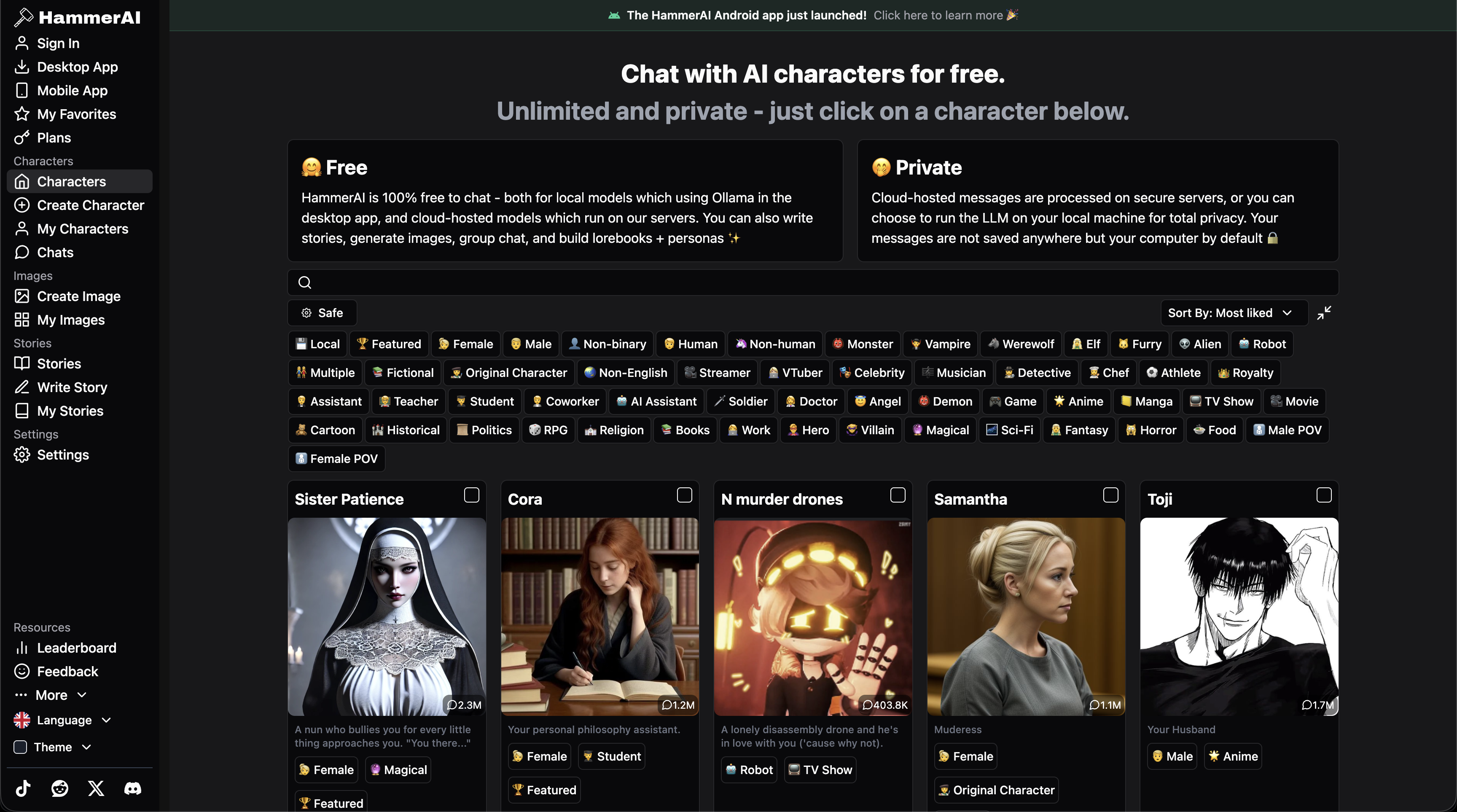
HammerAI suits a story you want to build yourself, with separate fields for personality, scenario, example dialogue and the opening message. A detective can have a clipped speaking style, a reason to distrust your character and a first scene at a locked archive. Lorebooks supply relevant world details when their keywords appear, so every location does not need to sit permanently in the character definition.
You can revise either side of the dialogue, regenerate a reply or undo a wrong turn. Group chats support up to ten characters. This gives you ways to adjust a scene instead of accepting every generated line. Compared with OurDream's hosted character-and-media experience, HammerAI also offers a local desktop route through Ollama; suitable models can run offline after download. Cloud and external API options send prompts to the selected service instead.
Free cloud access includes 600 messages daily and an 8,192-token context limit. The $9 monthly Starter plan adds unlimited cloud messages and a 16,384-token maximum; $18 Advanced and $35 Ultimate raise that to 32,768 and 65,536. These cloud-plan limits do not apply to every local model.
Choose the local route if keeping inference on your own computer matters, but allow for model downloads and hardware demands. Cloud use requires an account; local desktop chat is a separate option. Paid cloud chat does not spend media credits; those credits cover image generation and text-to-speech. SpicyChat is a more direct starting point if you mainly want to browse characters and clone an existing conversation.
- Separate personality, scenario, example-dialogue and opening-message fields
- Keyword-triggered lore for locations, characters and world rules
- Edit user and character messages, regenerate replies or undo a turn
- Group scenes with up to ten characters
- Offline local-model chat on desktop, plus cloud and external API options
- Paid cloud tiers expand context and remove the daily message cap
Pros
- Detailed character and scene definitions
- Dialogue can be corrected directly
- Local desktop inference works without an internet connection after setup
- Choice of hosted or separately configured models
Cons
- Local model performance depends on your hardware
- Lore triggers can miss details or match unintended words
- Cloud images and text-to-speech use a separate credit allowance
Bottom line
The local desktop route is the reason to choose HammerAI when offline play matters. Its cloud option avoids the hardware setup, with a daily free allowance for trying the same character and scene tools.
3. SpicyChat AI — Best for Free Character Discovery
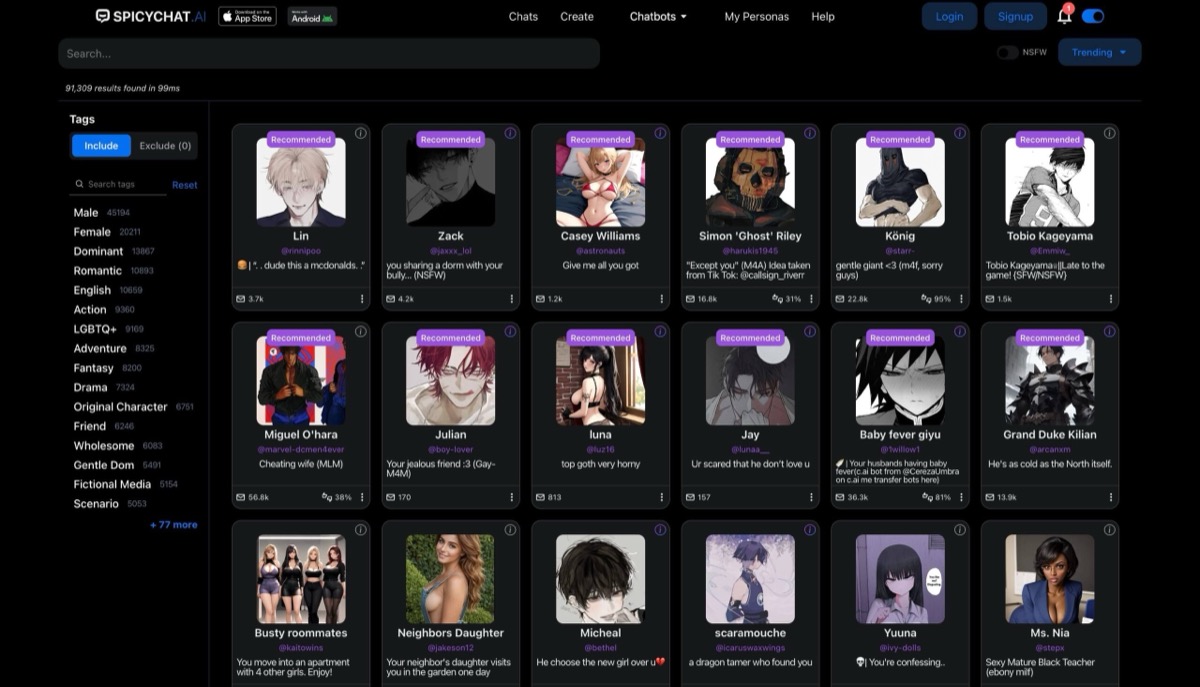
SpicyChat AI suits readers who want to start with a community character, then change the direction of the story. You can edit or regenerate replies, use Director Mode to suggest a new direction and clone all or part of a conversation. For example, keep the original mystery intact while trying a second version in which your character trusts a different suspect.
Creating your own character adds a place for its background and opening scene. Lorebooks hold world details separately and insert relevant entries when keywords appear. The current support guide allows private lorebooks on your own public or private bots. Group Chat adds two to ten characters and lets free users choose the next speaker; paid Auto Response selects for you. Group scenes currently exclude voice playback and in-chat image generation.
Free messaging is unlimited, with a 4,096-token context window and replies capped at 180 tokens. Current monthly plans are $5.95 Get A Taste, $19.95 True Supporter and $29.95 I'm All In. Get A Taste adds manual Memory Manager controls; True Supporter adds automatic Semantic Memory and longer replies. I'm All In offers up to 32K context on supported models. Existing eligible recurring subscribers can retain their older price.
The paid Memory Manager lets you correct saved details, but editing a message does not automatically update the memory it created. Fix both when changing an established event.
- Browse community characters or define your own character and scenario
- Regenerate, edit or continue a character's reply
- Clone a full or partial chat to try an alternative storyline
- Director Mode provides instructions outside the character's spoken dialogue
- Groups of two to ten characters with manual next-speaker selection
- Manual saved-memory edits from Get A Taste; automatic summaries from True Supporter
Pros
- Unlimited free text messaging
- Reply editing and cloning support alternate story paths
- Free group chats let you direct the next speaker
- Lorebooks separate worldbuilding from the character profile
Cons
- Saved-memory controls require a subscription
- Message edits do not automatically correct stored memories
- Group chats exclude voice playback and generated images
- Maximum context depends on both plan and model
Bottom line
Free SpicyChat is enough for discovery, dialogue editing and cloned paths. Get A Taste adds manual saved-memory corrections; True Supporter adds automatic summaries.
4. AgnAIstic — Best for Shared Roleplay and Prompt Control
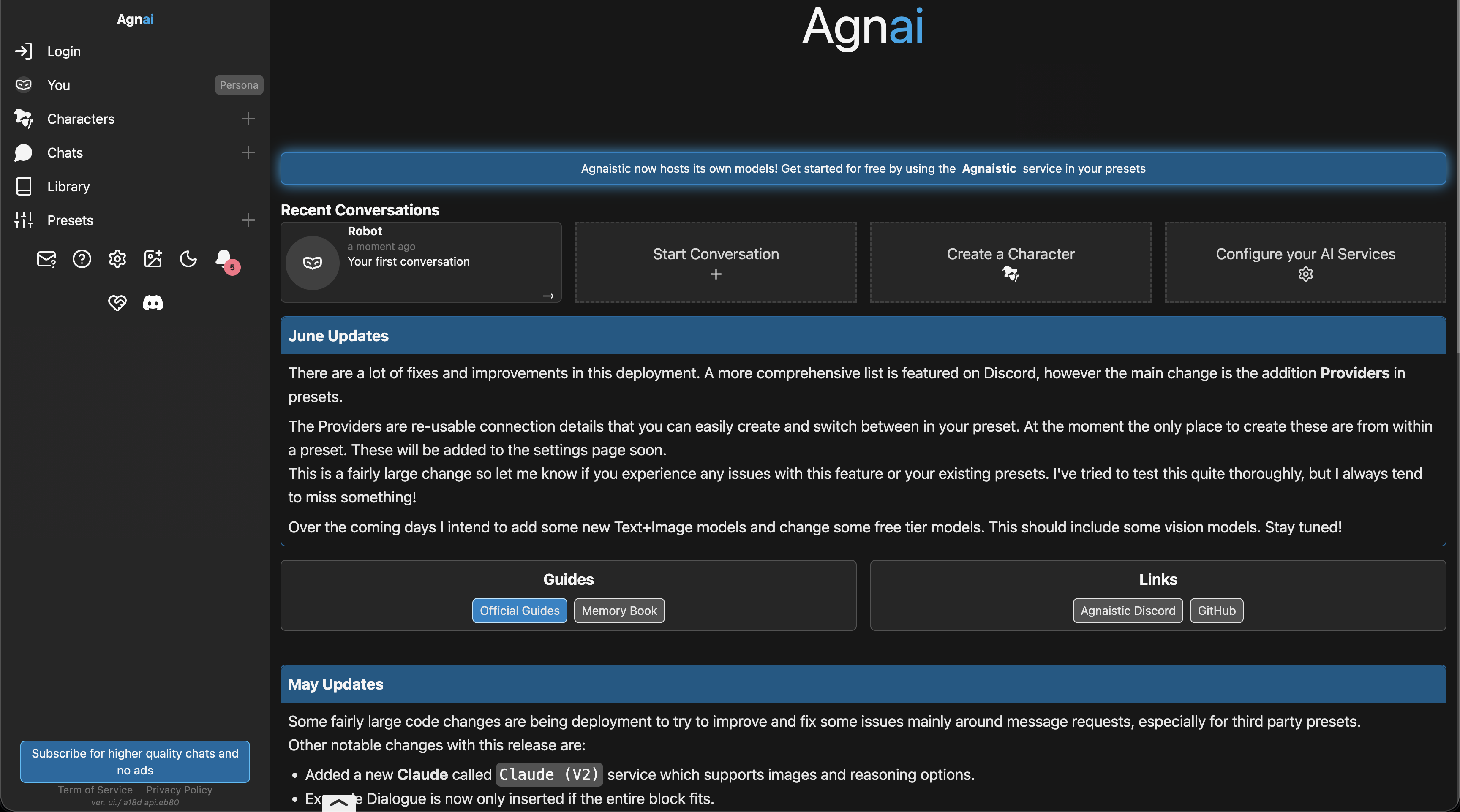
AgnAIstic suits collaborative scenes where you want friends and AI characters in the same conversation. Invite other people through Participants, add characters and write a narrator persona for the setting. A shared mystery can therefore include human investigators and a bot handling the supporting cast. This is a practical reason to choose it over a conventional one-character chat.
Its reusable scenarios let you change the setting without rewriting a character. You can attach a different opening situation to the same persona, then trigger a prepared event when the story needs to move forward. Memory books add relevant world details when their keywords appear; presets set the model, reply length and prompt structure. Plain-text descriptions work, so learning a special character format is optional. Compared with Chub below, AgnAIstic is especially useful for organising a shared scene and its events.
You can start on the built-in Agnai model without supplying an API key. Free hosted chat is advertised without a message limit; subscriptions add model and feature access. Connecting another provider can bring a separate usage bill, and self-hosting the open-source interface does not automatically supply a free model. Paid-tier prices and available models should be checked in the account before purchasing.
Chat Editing lets you revise or delete messages, while Generate More continues an interrupted response. Elaborate worlds also need a sensible context budget: character details, retrieved memories and the reply all compete for space. Start with a simple character and scene before adjusting advanced settings.
- Invite human participants and add several AI characters to one chat.
- Reuse scenarios across characters and trigger prepared story events.
- Write characters in plain text or supported structured formats.
- Attach keyword-triggered memory books with priority and context limits.
- Edit or delete chat messages and continue an unfinished reply.
- Use built-in hosted models, connect another provider or self-host the interface.
Pros
- Human collaborators and AI characters can share a scene.
- Reusable scenarios reduce repeated character setup.
- Free hosted entry does not require an API key.
- Direct control over prompts and generation presets.
Cons
- Advanced scenes require configuration and maintenance.
- External model services can charge separately.
- Memory entries still have to fit the context budget.
- Connected services determine their own content limits.
Bottom line
Start AgnAIstic with its built-in model and a small shared scene. Reusable events and human participation give it a distinct purpose before you add an external provider or self-hosting.
5. Chub AI — Best Character-Card Discovery and Branching
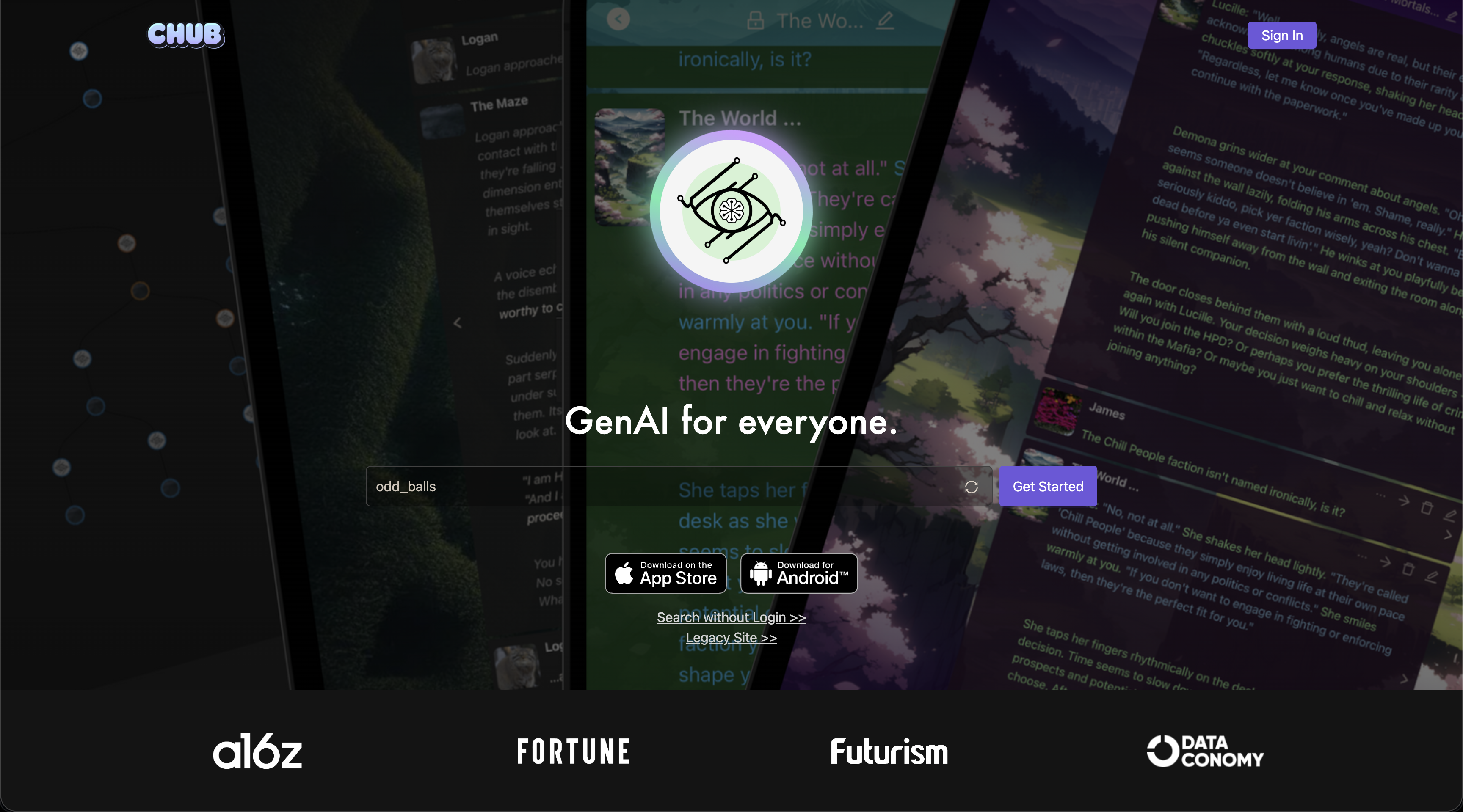
Chub AI suits readers who enjoy developing character cards and revisiting different versions of a story. Define a personality, scenario and opening message, or adapt a community character for your own chat. Alternate greetings give the same character different starting points. Its full chat tree lets you return to another response path, so choosing one direction does not have to end your interest in the others.
Lorebooks are useful when the setting contains details that only matter occasionally. Entries can depend on primary and secondary keywords, with priorities, probabilities and recursive activation. For example, you can supply a location description when that place is mentioned instead of repeating the whole setting in every character definition. A token budget limits how much lore is inserted.
The hosted subscription is $20 a month, paid in cryptocurrency. It advertises unlimited single-user access to its models, including Soji with a 60K context window, plus voice and media generation. Concurrent requests are restricted. New users may receive one-time trial credits worth a few dozen messages; these are not a renewing free allowance. Another route is to connect your own supported API or local model, with that provider’s charges or hardware requirements.
You can add characters, switch your own persona and amend character definitions for a particular chat. Chat Memory accepts a written summary or an AI-generated summary of older messages; check it before treating it as the story’s record. Export options include JSONL, PNG and text. AgnAIstic above puts reusable events and human participation in reach, while Chub’s tree is a clear reason to choose it for exploring alternative story paths.
- Character definitions include scenarios, example dialogue and alternate greetings.
- Full chat trees let you revisit different response paths.
- Lorebooks support conditional keywords, recursion, priority and probability.
- Add characters and change your player persona within a chat.
- Write or generate a summary and export the conversation.
- Choose the hosted subscription, an external API or a compatible local model.
Pros
- Branches preserve alternative directions to revisit.
- Detailed lore controls suit an established fictional setting.
- Chat-specific character changes leave the public original alone.
- Hosted models and own-provider connections are both available.
Cons
- The hosted subscription requires cryptocurrency.
- Trial credits are one-time rather than a continuing free tier.
- Cards and lore need space within the selected model’s context.
- Summaries can omit details and need checking.
Bottom line
Chub is useful when you want to return to several versions of a conversation. Its hosted plan requires cryptocurrency; an own-provider connection brings separate usage or hardware costs.
6. CrushOn AI — Best for Custom Personas and Group Scenes
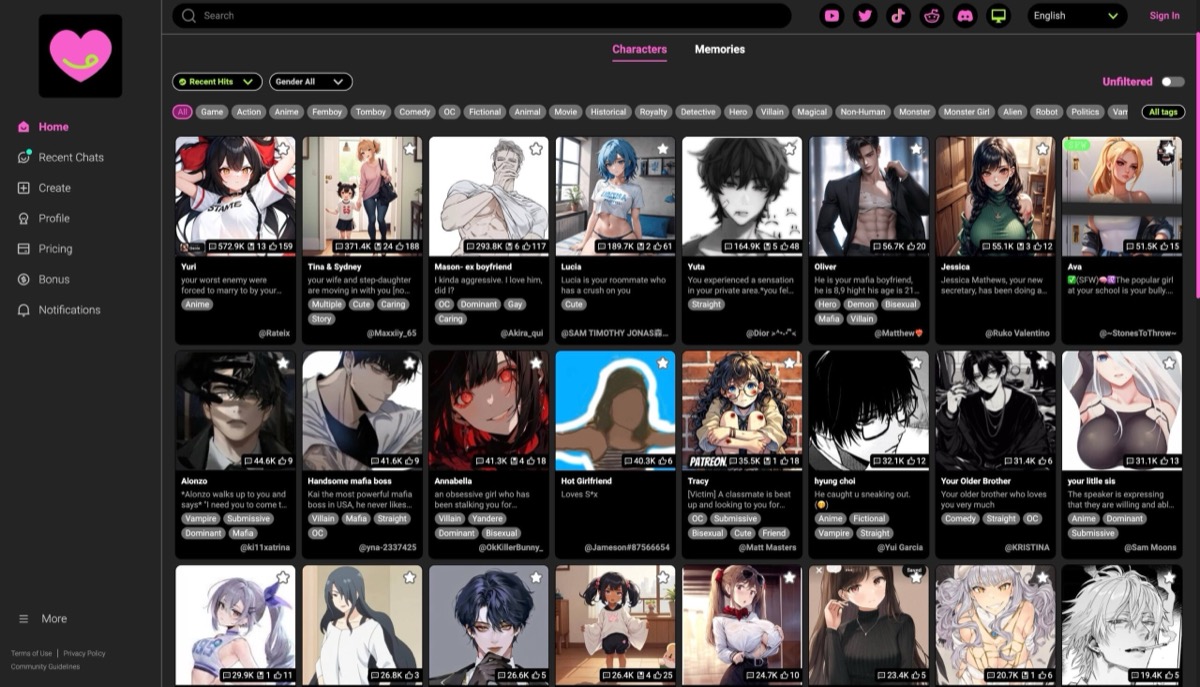
CrushOn AI suits readers who want a ready-made character library with practical ways to correct the story. Edit a reply when it gives your character the wrong action, pin an important fact, or save a sequence of messages for later. Custom Instructions can also guide tone, dialogue style and the amount of narration.
You can create a single character or write several characters into one bot's definition. The latter works by giving each cast member a personality and role, then establishing their shared situation in the greeting. It is different from the paid group-chat feature, which uses its own model. Profile cards describe the character you play, including their background and relationship to the cast, so you do not have to repeat that setup in every opening exchange.
Free accounts include unlimited use of Free Models and 100 monthly message credits; those credits cover access to Pro Models. Standard's advertised annual price is $58.88, equivalent to $4.90 a month, with 2,000 monthly credits. A separate unlimited Pro Models package is advertised at $299.99 billed annually and can be combined with a membership. It does not include Ultra Models, so the annual package is not an all-model subscription.
The main continuity limit on Free is history deletion after seven days of inactivity. Save useful scenes before taking a break. Paid group chat has a separate advertised 8K context even when the one-to-one plan offers more.
- Browse existing characters or define personalities, scenarios and opening messages.
- Edit replies and pin essential story facts without rewriting the original message.
- Use Custom Instructions to guide tone, narration and response style.
- Create profile cards for the identity and background you bring to a scene.
- Save and reload sequences of up to 100 messages, with an optional summary.
- Use paid group chat or write a multi-character bot; they are separate approaches.
Pros
- Several practical controls for correcting and resuming a scene.
- Reusable user personas reduce repeated character setup.
- Free Models support ongoing chat without spending the monthly message-credit pool.
Cons
- Free chat history expires after seven inactive days.
- Group chat uses a smaller context than some one-to-one plans.
- Model packages and membership allowances need to be considered separately.
Bottom line
CrushOn gives you several ways to save a scene, but free history expires after seven inactive days. Save important sequences before a long break rather than relying on the chat list alone.
7. Soulkyn — Best for Original Characters and RPG Scenarios
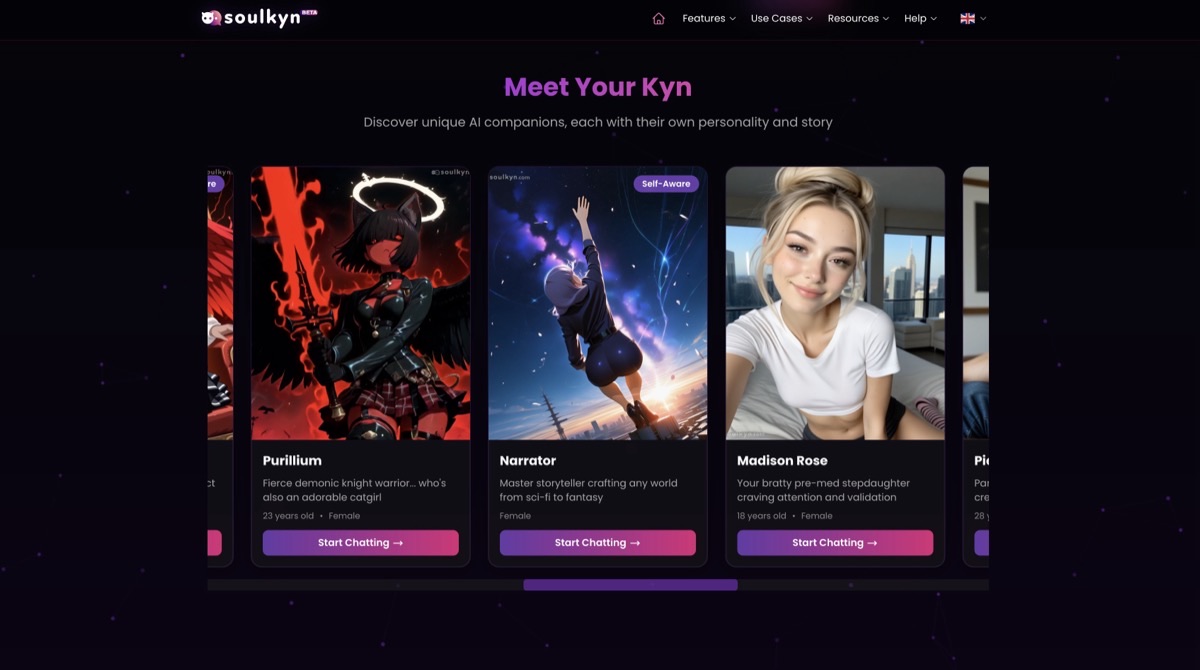
Soulkyn is useful when you want to put an original character into a prepared world. Its Kyns combine personality traits and a backstory with reusable scenarios, including RPG-style settings. On Deluxe, a world file can supply the setting, factions and rules around a character while keeping their identity. You can therefore move the same original explorer from a space station to a fantasy city without rewriting their entire personality.
Group scenes support a lead character and up to seven linked characters; the classic group mode supports three additional characters. The system chooses the speaking order and combines the cast's contributions into a response. This suits an ensemble scene, but it is a different approach from OurDream's explicit portrait selection. Chat Profiles define who you play, while character versioning lets an existing thread keep its original character definition after you edit the Kyn.
For continuity, add short forced memories about the relationship, current objective or important events. You can edit, regenerate or delete a reply that takes the story in the wrong direction, and Continue extends an unfinished response. Stored history is not unlimited active context: older material may be summarised or retrieved selectively. A short factual reminder remains useful even when the service has retained a much longer conversation.
The free trial has usage limits. Premium is €24.99 billed monthly, Deluxe €49.99 and Deluxe Plus €99.99; paid tiers include unlimited chat. Group linking and world files require Deluxe or above. That makes the world-building features a more expensive commitment than the entry plan. Public Kyns must be original characters, so this is best approached as a home for your own cast rather than a public catalog of familiar franchise characters.
- Create original Kyns with personality traits, backstories and instructions.
- Start with community scenarios or RPG-style characters.
- Attach world files for settings and rules on Deluxe or above.
- Run group scenes with up to eight characters, including the lead.
- Keep existing threads on an earlier character version after revising the Kyn.
- Add forced memories and repair replies with edit, regenerate, delete and Continue controls.
Pros
- Reusable worlds give the same character different adventures.
- Versioned character definitions help preserve an established setup.
- Explicit notes and reply controls provide ways to repair continuity.
Cons
- Group scenes and world files require the €49.99 monthly Deluxe tier or above.
- The system directs group speaking order rather than offering the same portrait control as OurDream.
- The free trial is usage-capped, and public characters must be original.
Bottom line
Budget for Deluxe if Soulkyn's reusable worlds and ensemble cast are the attraction. The entry subscription covers chat but does not include those world-building tools.
8. Janitor AI — Best for Community Characters and Custom Bots
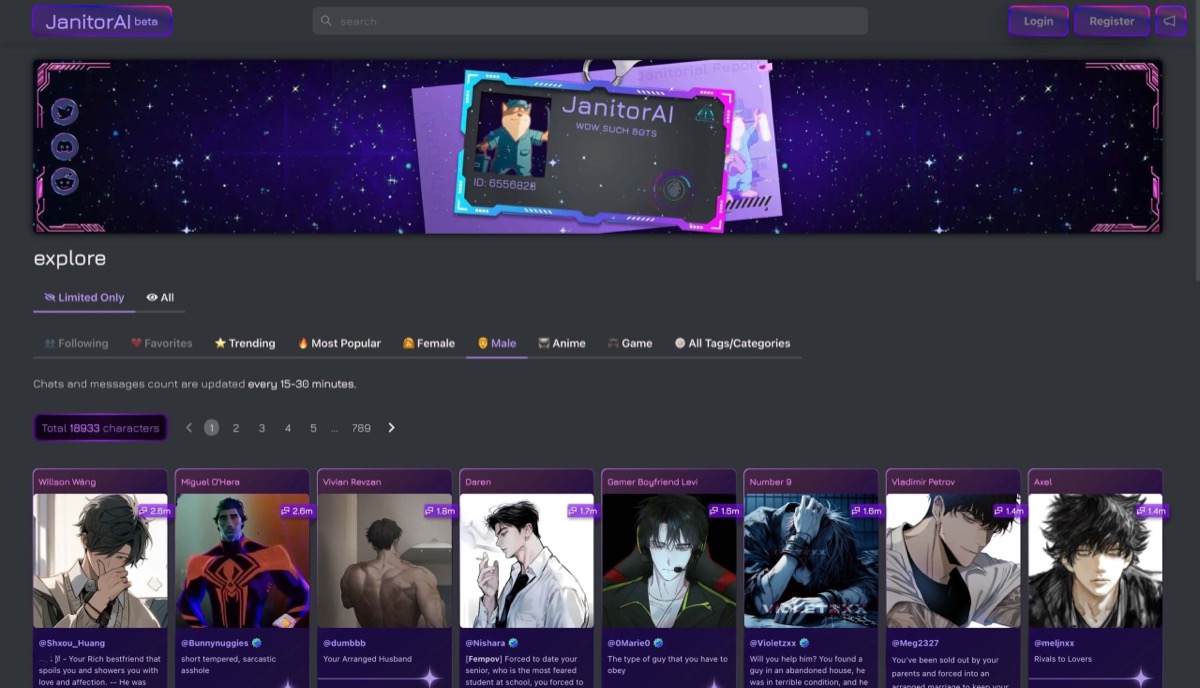
Janitor AI combines a large community character library with unlimited free chats on its standard models. It suits readers who want to try different scenarios without rationing a monthly message allowance. Character quality and writing style vary, so the opening message is a useful way to judge whether a bot offers the kind of scene you want before investing in a longer story.
Creators can define personality, backstory, scenario and an opening message, while reusable personas describe the character you play. Put behaviour and setting details in those bot fields: the public Character Bio is a listing description, not part of the bot's prompt. Chat Memory provides space for a concise record of the setting, relationships and current plot, which helps you reintroduce facts that have fallen outside the recent conversation.
Scripts add another layer of control. A basic Lorebook Script can insert setting information when a keyword appears; more advanced scripts can respond to events or conditions. You can attach scripts to a character and inspect their triggers in a test chat, without writing JavaScript for a basic lorebook. Custom prompts, response-length controls and generation settings offer further ways to shape narration. This makes Janitor more capable for world-building than a simple character catalog.
Janitor+ costs $12.99 a month and advertises five times the free tier's roughly 9K context, priority access and a monthly allowance to regenerate replies using its premium models. Its Router offers separately billed third-party models at displayed per-token rates; a subscription does not make those models unlimited. Character definitions, Chat Memory, activated lore and recent messages all share the available context. Longer character definitions leave less space for the recent scene.
- Browse community characters and use standard models without a free-chat message cap.
- Define a bot's personality, scenario and opening message separately.
- Create reusable personas for the character you play.
- Maintain a short Chat Memory record of relationships and current plot facts.
- Attach keyword-triggered lorebook scripts, with optional advanced scripting.
- Save custom prompts and adjust response length or generation settings.
Pros
- Unlimited standard-model chat makes trying different scenarios practical.
- Personas, Chat Memory and lore scripts support more deliberate scene setup.
- Basic lorebook creation does not require JavaScript.
Cons
- Community bots vary in writing quality and how clearly they establish a scene.
- Detailed character definitions and lore leave less context for recent dialogue.
- Regenerating replies with premium models uses a monthly allowance; Router usage costs extra.
Bottom line
Janitor's standard models let you explore scenes without rationing messages. A paid upgrade is more useful after you have a concise character definition and know which premium model or context limit you need.
Set up a character and a scene that can move forward
Start with a role and a situation that gives the character something to do. A long biography is less useful than a clear motive, a relationship to your character and an opening that invites a response. Keep stable identity separate from facts that change as the story unfolds.
- What to define
- Character
- Useful detail
- A cautious archivist who wants to protect a missing document
- Where it belongs
- HammerAI personality or a Chub character definition
- What to define
- Opening scene
- Useful detail
- You arrive after closing time with a clue the archivist recognises
- Where it belongs
- HammerAI scenario and first message; Chub scenario and greeting
- What to define
- Your role
- Useful detail
- You are an investigator with a reason to conceal your name
- Where it belongs
- A player persona, such as Janitor Personas or CrushOn profile cards
- What to define
- Reusable setting
- Useful detail
- The same cast meets at a different location or after a new event
- Where it belongs
- AgnAIstic scenarios and prepared events
- What to define
- World details
- Useful detail
- Locations, factions and terms that matter only when mentioned
- Where it belongs
- Keyword-triggered lorebooks in HammerAI, SpicyChat, AgnAIstic or Chub
| What to define | Useful detail | Where it belongs |
|---|---|---|
| Character | A cautious archivist who wants to protect a missing document | HammerAI personality or a Chub character definition |
| Opening scene | You arrive after closing time with a clue the archivist recognises | HammerAI scenario and first message; Chub scenario and greeting |
| Your role | You are an investigator with a reason to conceal your name | A player persona, such as Janitor Personas or CrushOn profile cards |
| Reusable setting | The same cast meets at a different location or after a new event | AgnAIstic scenarios and prepared events |
| World details | Locations, factions and terms that matter only when mentioned | Keyword-triggered lorebooks in HammerAI, SpicyChat, AgnAIstic or Chub |
For editable openings and character-field examples, the roleplay prompt templates provide starting points you can adapt to the controls your app supports.
If you want a familiar friend to return to rather than a plot to direct, the AI companion apps comparison focuses on everyday conversation, relationship settings and continuity between chats.
Revise a reply or explore a different outcome
Correct a wrong detail before building the next scene around it. Regenerating asks for another response; editing supplies the line you want. A clone or branch preserves an alternative path so that experimenting does not have to overwrite the version you liked.
- What you want to change
- One incorrect line
- Useful control
- Edit dialogue in HammerAI, SpicyChat, AgnAIstic or Chub
- Practical example
- Correct a name without restarting the conversation
- What you want to change
- How the next scene develops
- Useful control
- SpicyChat Director Mode or AgnAIstic scenario events
- Practical example
- Ask for a change of setting or introduce a prepared event
- What you want to change
- A decision several turns earlier
- Useful control
- SpicyChat full or partial conversation clone
- Practical example
- Keep the original mystery while trying another suspect
- What you want to change
- Several possible response paths
- Useful control
- Chub chat tree
- Practical example
- Return to an earlier branch and continue that version
| What you want to change | Useful control | Practical example |
|---|---|---|
| One incorrect line | Edit dialogue in HammerAI, SpicyChat, AgnAIstic or Chub | Correct a name without restarting the conversation |
| How the next scene develops | SpicyChat Director Mode or AgnAIstic scenario events | Ask for a change of setting or introduce a prepared event |
| A decision several turns earlier | SpicyChat full or partial conversation clone | Keep the original mystery while trying another suspect |
| Several possible response paths | Chub chat tree | Return to an earlier branch and continue that version |
If the archivist hands over the document, keep their cautious personality but update the current plot record. SpicyChat message edits do not update saved memories automatically: revise its Memory Manager entry as well. Soulkyn forced memories or Janitor Chat Memory can hold the new location, objective and unresolved events. Remove an old event summary after rewriting it so it cannot feed the discarded event into the next scene.
Decide who takes the next turn in a group scene
A cast of AI characters and a room with human players are different features. Speaker selection also matters: taking turns manually gives you control over the exchange, while automatic replies let the app decide who responds. Check group-specific limits rather than applying a one-to-one plan description to every scene.
- Group decision
- Choose a particular character to answer
- Documented option
- OurDream portrait or @ targeting; SpicyChat manual next speaker
- Limit or distinction
- SpicyChat manual selection is free; automatic speaker selection is paid
- Group decision
- Create a larger AI cast
- Documented option
- HammerAI supports up to ten; SpicyChat supports two to ten
- Limit or distinction
- SpicyChat groups do not include generated images or voice playback
- Group decision
- Use linked characters in a scenario
- Documented option
- Soulkyn supports up to eight characters in its newer group system
- Limit or distinction
- Classic rooms use smaller casts; group access requires Deluxe or above
- Group decision
- Invite people as well as bots
- Documented option
- AgnAIstic Participants and additional characters
- Limit or distinction
- Human participation is separate from an AI-only group feature
- Group decision
- Compare group context with solo context
- Documented option
- CrushOn groups use a separate 8K model
- Limit or distinction
- A higher one-to-one allowance does not enlarge that group model
| Group decision | Documented option | Limit or distinction |
|---|---|---|
| Choose a particular character to answer | OurDream portrait or @ targeting; SpicyChat manual next speaker | SpicyChat manual selection is free; automatic speaker selection is paid |
| Create a larger AI cast | HammerAI supports up to ten; SpicyChat supports two to ten | SpicyChat groups do not include generated images or voice playback |
| Use linked characters in a scenario | Soulkyn supports up to eight characters in its newer group system | Classic rooms use smaller casts; group access requires Deluxe or above |
| Invite people as well as bots | AgnAIstic Participants and additional characters | Human participation is separate from an AI-only group feature |
| Compare group context with solo context | CrushOn groups use a separate 8K model | A higher one-to-one allowance does not enlarge that group model |
Begin with a small cast whose members have different motives. Add another character when the scene needs them, rather than assuming a larger group will produce a more coherent conversation. In SpicyChat, the responding bot’s definition is loaded with the shared conversation; every cast member’s full profile is not active at once.
Keep world lore separate from changing story facts
Keep stable details, such as the archive's location and its rules, in a lorebook. Keyword triggers decide when those entries are supplied; priorities and the lore budget limit how much is inserted. Conditional lore supplies context rather than enforcing a game rule.
Character definitions, activated lore and recent dialogue share the model's context window. Keep entries focused so a long world description does not crowd out the current scene. A stored transcript can be longer than that window, and a summary can omit a detail the next scene needs.
- Information to retain
- Stable world details
- Suitable control
- HammerAI, SpicyChat, AgnAIstic or Chub lorebook entries
- What to check
- Trigger words and the lore budget; an entry may not be included on every turn
- Information to retain
- Facts that changed during play
- Suitable control
- SpicyChat Memory Manager or Soulkyn forced memories
- What to check
- Correct the saved version after a rewrite; do not leave contradictory entries
- Information to retain
- A short record of the current plot
- Suitable control
- Janitor Chat Memory, Chub summaries or CrushOn pinned notes
- What to check
- Record current locations, goals and unresolved events rather than every exchange
- Information to retain
- A new version of a character
- Suitable control
- Soulkyn versioned character edits or Chub chat-specific definitions
- What to check
- Soulkyn existing threads retain their character version; Chub chat edits need not alter the public card
| Information to retain | Suitable control | What to check |
|---|---|---|
| Stable world details | HammerAI, SpicyChat, AgnAIstic or Chub lorebook entries | Trigger words and the lore budget; an entry may not be included on every turn |
| Facts that changed during play | SpicyChat Memory Manager or Soulkyn forced memories | Correct the saved version after a rewrite; do not leave contradictory entries |
| A short record of the current plot | Janitor Chat Memory, Chub summaries or CrushOn pinned notes | Record current locations, goals and unresolved events rather than every exchange |
| A new version of a character | Soulkyn versioned character edits or Chub chat-specific definitions | Soulkyn existing threads retain their character version; Chub chat edits need not alter the public card |
In the archivist story, the archive's access rules belong in reusable lore. Who now holds the missing document belongs in the current plot record. Updating the latter after a rewrite avoids changing the character's stable identity just to fix one event.
Match the allowance and model connection to your sessions
A daily limit, a one-time trial and a separately billed model connection affect a campaign differently. Check whether access renews and which model the allowance covers. Unlimited messages can still come with queues, a smaller active context or paid scene controls.
- Access pattern
- Recurring free text
- Relevant options
- SpicyChat and Janitor standard chat; HammerAI’s 600 daily cloud messages
- What to plan for
- The free model and active context may differ from paid options
- Access pattern
- Trial or usage-capped access
- Relevant options
- Chub’s one-time trial credits; Soulkyn’s limited free access
- What to plan for
- Check whether the allowance renews before relying on it for regular play
- Access pattern
- A hosted subscription
- Relevant options
- OurDream standard chat, HammerAI paid cloud and Chub hosted models
- What to plan for
- Check model-specific limits; media or advanced modes can have separate charges
- Access pattern
- Your own model connection
- Relevant options
- AgnAIstic or Chub external providers; HammerAI local desktop models
- What to plan for
- API usage can be billed separately; local inference needs suitable hardware
| Access pattern | Relevant options | What to plan for |
|---|---|---|
| Recurring free text | SpicyChat and Janitor standard chat; HammerAI’s 600 daily cloud messages | The free model and active context may differ from paid options |
| Trial or usage-capped access | Chub’s one-time trial credits; Soulkyn’s limited free access | Check whether the allowance renews before relying on it for regular play |
| A hosted subscription | OurDream standard chat, HammerAI paid cloud and Chub hosted models | Check model-specific limits; media or advanced modes can have separate charges |
| Your own model connection | AgnAIstic or Chub external providers; HammerAI local desktop models | API usage can be billed separately; local inference needs suitable hardware |
For a story you revisit most evenings, a recurring free allowance is easier to plan around than trial credits. A short trial can still answer whether you like the interface. Before paying for longer sessions, check the controls your story needs: SpicyChat's manual Memory Manager starts on Get A Taste, while Soulkyn's world files and group access require Deluxe.
A hosted model is ready to use through the service. An external model connection, available in AgnAIstic and Chub, can add a separate provider bill. HammerAI's local desktop route can run offline after downloading a suitable model, but needs enough hardware for that model.
An installed interface can still send prompts to a cloud provider. Check the selected connection before moving a private campaign into it, and export important story notes before switching services. The AI companion apps comparison covers continuing access and what happens to history when a subscription ends.
FAQ
Is Character.AI good for roleplay?
Yes. Character.AI supports fictional scenarios and user personas, but prohibits explicit sexual content. Its full review covers the available chat and memory controls.
Can I move a character card between apps?
Only when the destination supports that card format. Chub supports importing characters, and CrushOn supports JSON character import. Check the greeting, scenario and example dialogue after import; a card does not automatically transfer your conversation history, subscription, model settings or every lorebook feature.
Is Candy AI good for roleplay?
Candy supports custom romantic characters. Premium Plus adds persona, memory and clone controls; the AI girlfriend apps comparison covers the companion-focused options.